
The whole week,
on one screen.
The fastest way to build a staff schedule: a landscape, drag-and-drop builder that shows every person and every day at once, costs the week as you go, and lands on your team's phones the moment you publish.
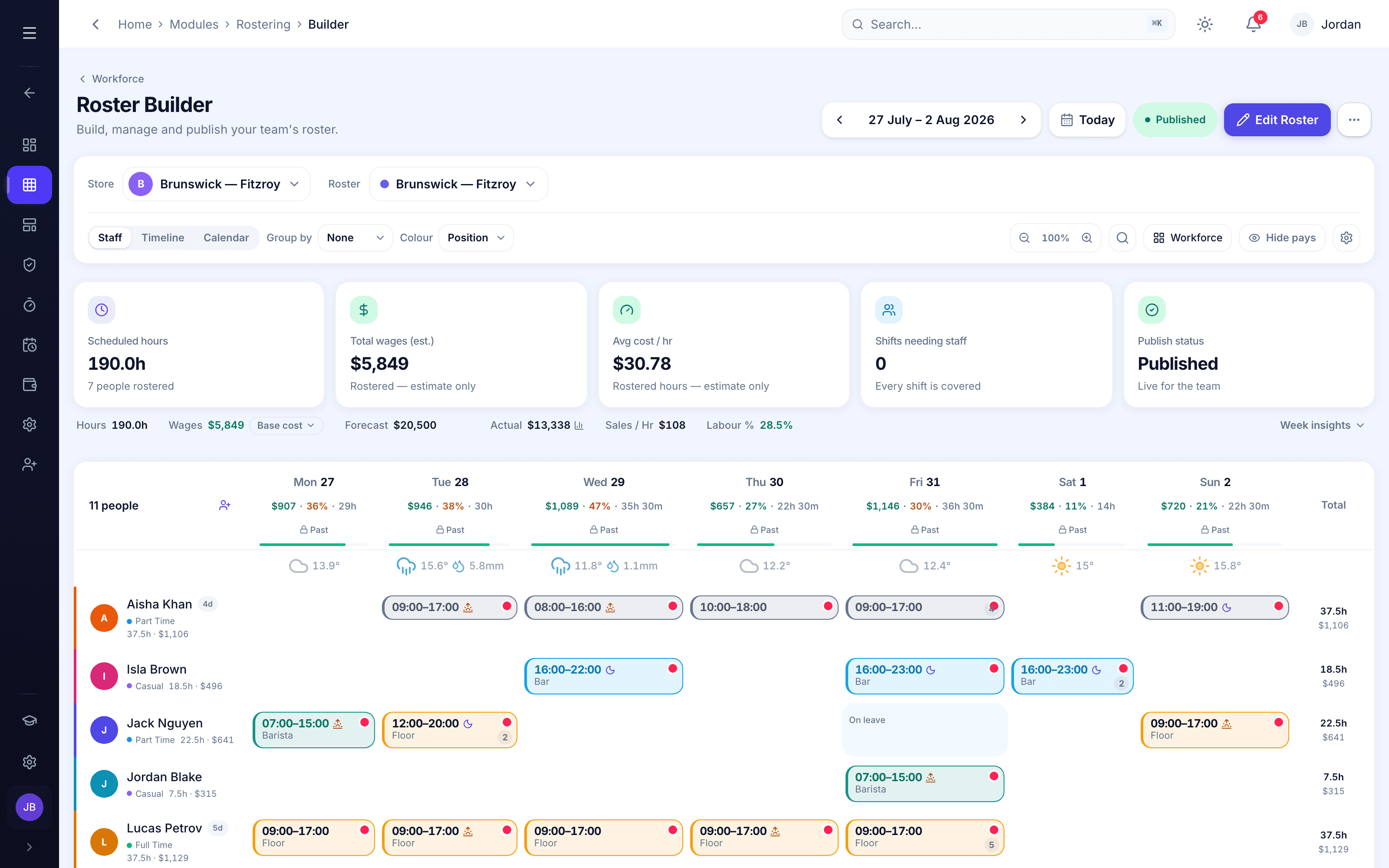
Rostering decides whether a week runs smoothly or falls apart, and most rostering tools weren’t built for the way hospitality actually runs.
The problem isn’t effort, it’s shape. A roster is wide. Every person down one side, every day across the top. Squeeze that onto a portrait phone and you’re scrolling a list one day at a time, never seeing the gaps, the doubles or the cost until it’s too late. Orbit Rostering is built around that shape instead of fighting it.
The whole week
Landscape rostering
Turn your phone or tablet sideways and the whole week opens up: the same staff-by-day grid you’d get on a big screen, in your hand. Drag a shift to move it, tap an empty cell to add one, and watch the running hours and wage estimate update at the top as you build. On the web it’s the full builder with a mouse; on mobile it’s the same grid in landscape. Either way, you see everything at once.
On the big screen
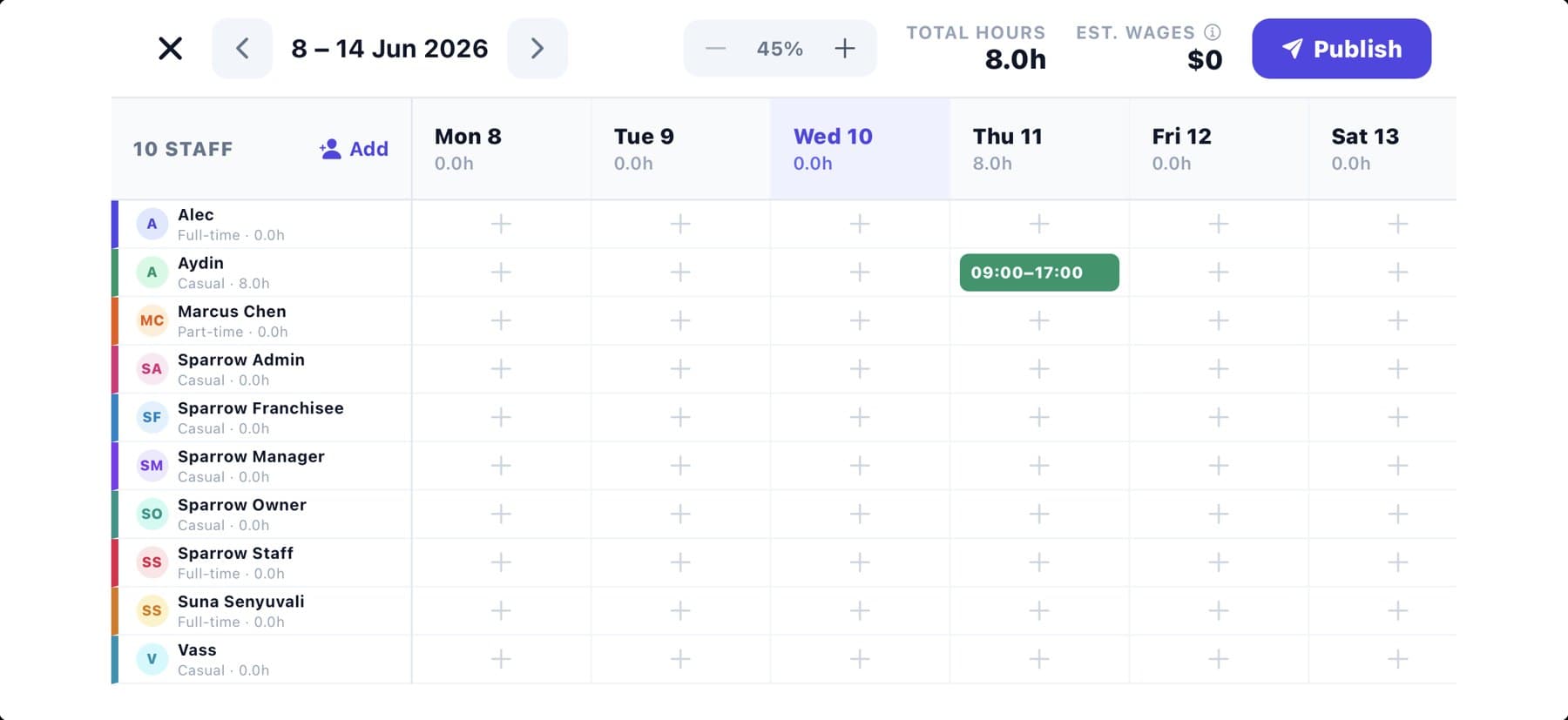
The full builder, in your browser
Open Orbit OS on a laptop and the whole operation is in front of you. Every day of the week, with the running shifts, staff, hours and a live wage estimate up top. Draft the week in one tap with AI Generate, switch between stores from the corner, and publish to every phone when it’s right.
Build
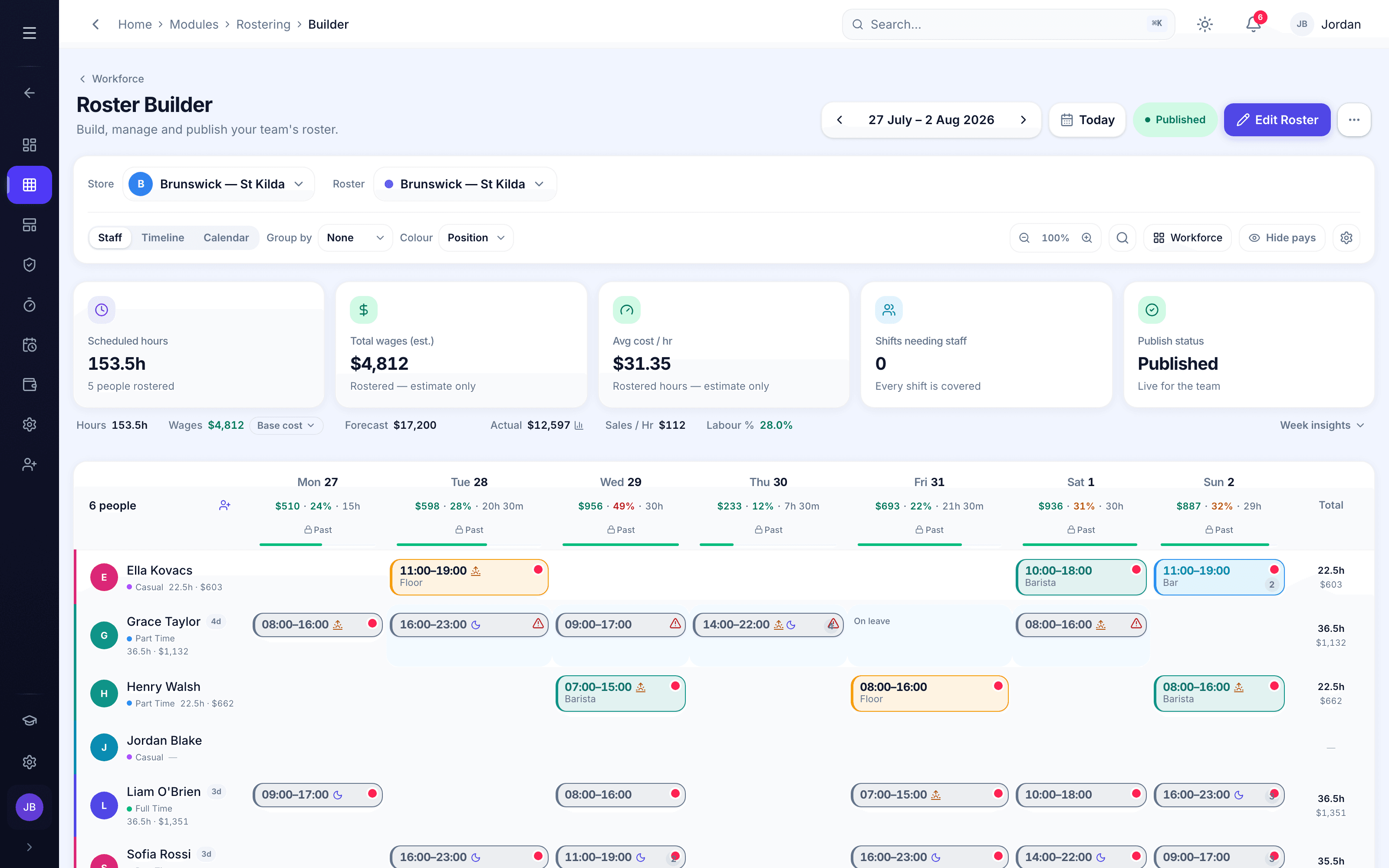
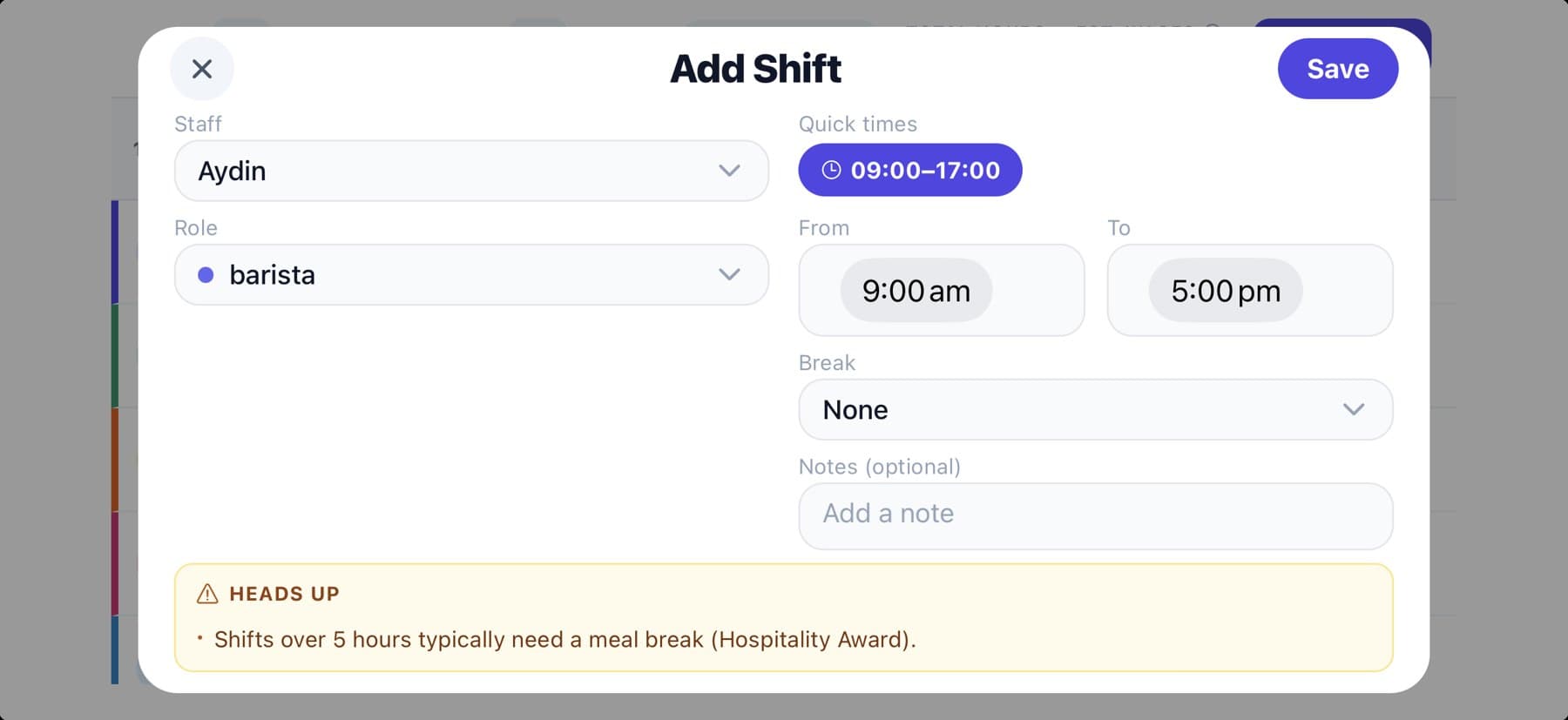
Add a shift in two taps
Pick the person, pick the time. Done. Saved presets drop in your common shifts, positions carry their own colour, and Orbit flags when a shift is long enough to need a meal break under the award. The roster’s right before it’s published, not after someone queries their pay.
Live cost
Cost the week as you build it
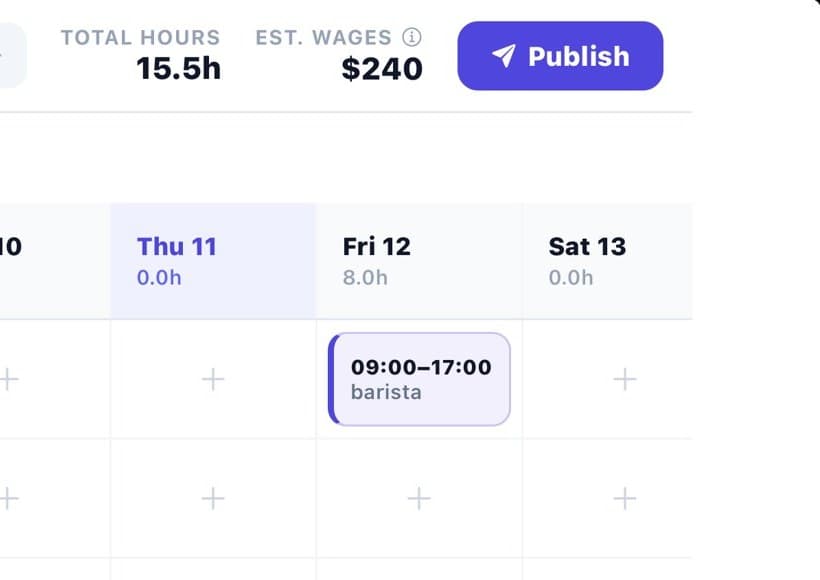
Every shift you add updates the labour total and wage estimate live, with each person’s pay rate snapshotted onto the shift. You’re never guessing what the week costs, and because the rate is locked to the shift, last month’s numbers stay accurate even after someone gets a raise.
Publish
Publish, and it’s on their phones
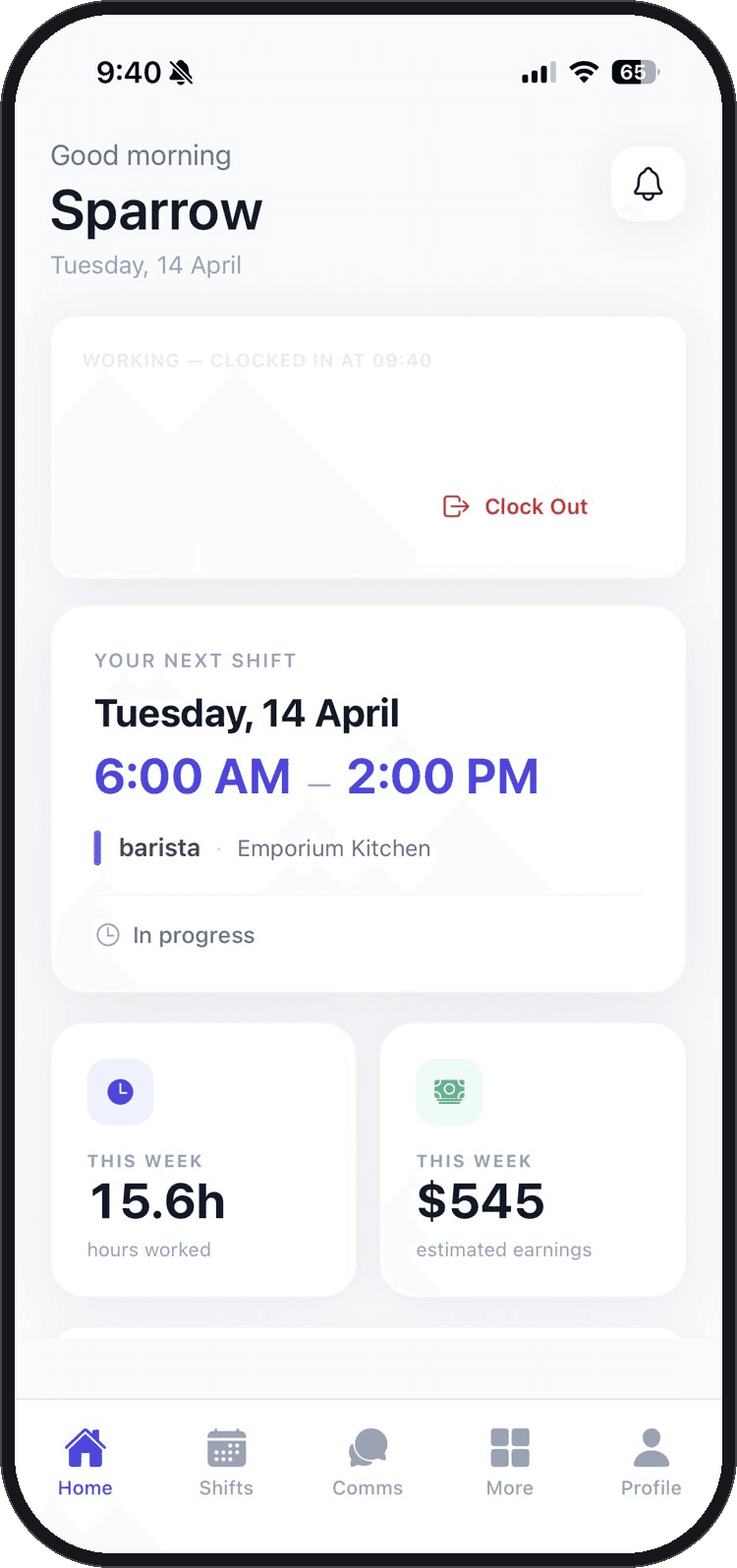
Build ahead in private. A working roster stays hidden until you’re ready. When the week’s right, hit Publish: every person is notified instantly and their shifts appear in Orbit Staff. No printing, no chasing. No “did you see the roster?”.

Orbit Staff · now
Your roster’s out. You’re on Tuesday, 9:00–5:00.
It closes the loop with your team
Rostering in Orbit isn’t one-directional. Staff set their availability and request leave in the app, and the builder respects it, flagging a clash before you publish, not after. If someone needs to swap, the request comes back to you. When they work the shift, they clock in on their phone, the hours land against what they were scheduled, anything over or under is flagged, and it exports payroll-clean. From the first shift you drag to the timesheet you approve, it’s one connected flow.
Everything in Orbit Rostering
Build your next roster in Orbit
Available on its own or as part of Orbit OS. Managers build on web, phone or tablet; staff get their shifts in Orbit Staff.