
Orbit for franchise networks
One view of your
whole network.
See every venue in one place, company-run and franchised. Every franchisee gets the tools to run their own business, while head office stays connected.
Orbit for franchise networks is its own package.
“We’ve never had better control over our network.”
 Managing Director
How a franchise works in Orbit.
A franchise is one brand run by many owners. Head office owns the brand; each franchisee owns and runs their own venues. In Orbit they are separate businesses, connected as one network.
- Franchisor · head office
Owns the brand and sets the standard.
- Sees every venue in the network on one screen, company-run and franchised
- Compares rosters, hours and labour venue by venue
- Follows up anything that needs it, and checks the evidence
- Franchisees
Each owns and runs their own business.
FitzroyFranchiseeCarltonFranchiseeBrunswickFranchiseeNorthcoteFranchisee- Their own team, rosters and timesheets
- Their own payroll, sent to their own Xero, Employment Hero or other accounting connection
- Connected to the brand, sharing what they agree with head office
- Never sees another franchisee’s venues
- Managers and their teams
Run the day at each venue.
- Managers build the roster and approve the hours for their venue
- The team sees their shifts and clocks in on the Orbit Staff app
- Everyone sees only what their role allows
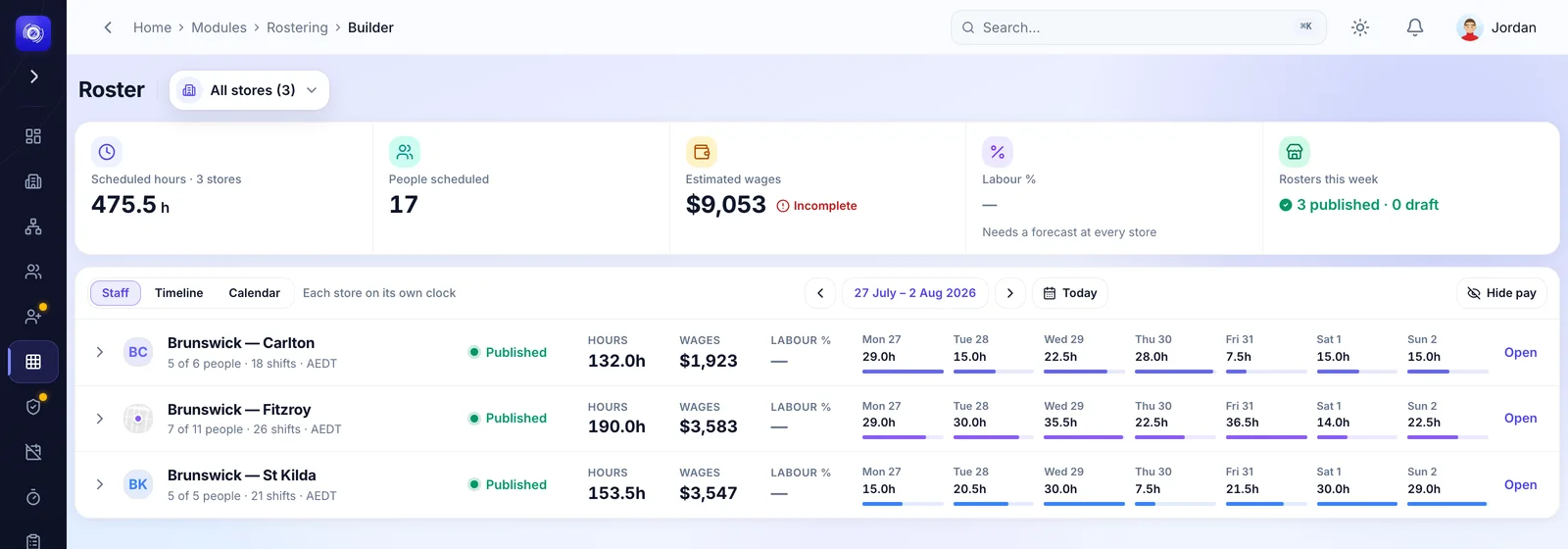
Finally see and control every venue in your network.
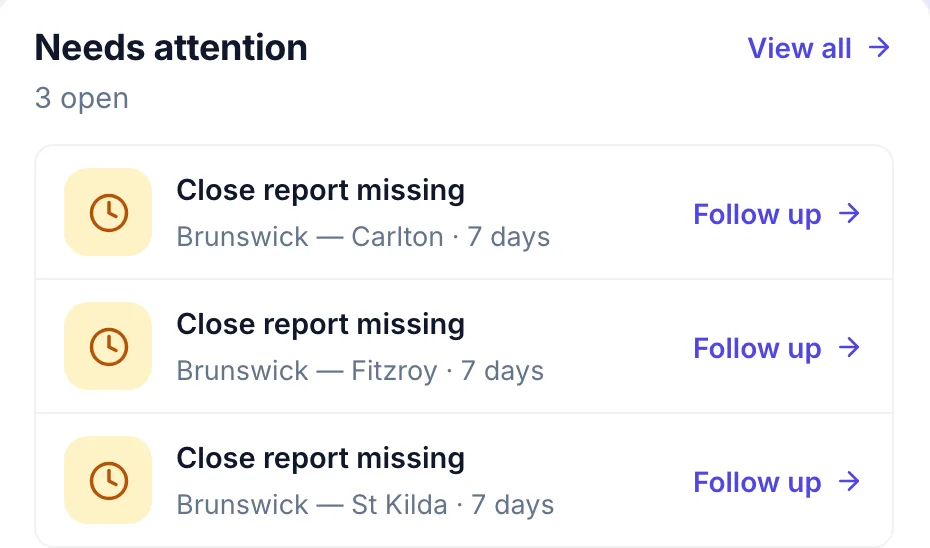
Every venue’s roster, hours and labour side by side, company-run and franchised, with what needs following up at the top.

How a franchisee joins your network.
From inside their own Orbit, and they decide what’s shared.
Connect
Head office invites a franchisee. They accept inside their own Orbit, and name the stores and the date reporting starts.
Share
Labour, attendance, standards and read-only rosters are shared by default. Only the franchisee can narrow it.
See
Head office sees the franchised store beside its own: the period’s figures, the roster and the timesheet totals.
Act
Head office approves, suspends or ends the connection and messages the franchisee, but never edits inside their business.
Head office sees
- Store figures for the period: labour cost and hours, attendance and workforce counts
- The store’s roster (names, positions and times), read-only
- Timesheet totals for the store’s days, as attendance aggregates
- The franchisee’s business name, contact name, contact email and owner name
Never crosses
- Pay rates, payslips, pay runs and any per-person pay figure
- Staff personal details and identifiers. Shared rosters use an opaque key
- The franchisee’s approvals queue, roster rules, roles and permissions
- Another franchisee’s data, ever: each franchisee is a separate business in Orbit
The franchisee keeps
- Their store’s roster, team and day-to-day operation, in their own workspace
- Whether their managers publish directly or need the franchisee’s approval
- Timesheets, leave, shift swaps and attendance exceptions, from their own approvals queue
- Their payroll and pay run, under their own legal entity and their own payroll connection
- Their people’s roles and access
- What they share with the network, and when the connection ends
Wage compliance, as a brand standard.
Underpayment is the risk every franchise brand carries. Publish the standard once and every franchisee answers it, without head office ever seeing a pay rate.
- Publish “every team member is paid at or above the award” to every franchisee
- It lands locked in their Orbit, and they answer it with evidence
- Mark it critical and a failure comes back to head office to verify
- Every shift’s labour is priced under the award by the same engine as payroll
Brand standard · Every team member is paid at or above the award
- Sent to every connected franchisee
- Answered in their own Orbit, with evidence
- Critical failures come back to head office
What head office never sees
- Pay rates
- Payslips and pay runs
Spot payroll differences. Start the right conversation.
A planned audit workspace to compare expected pay with the records a franchisee shares, highlight the differences and keep the follow-up together.
Talk to us about payroll audits- Focus on the exceptionsBring a payroll question into view early.
- Ask for the supporting recordsFollow up with the operator responsible.
- Keep a clear review trailThe explanation and evidence, together.
Only for records a franchisee shares and authorises for review.
What head office controls.
What head office can set, monitor, approve and act on, and whether it applies to the stores you run or the whole network.
Set
Defaults and rules for the stores head office runs.
- Whether each store’s manager publishes rosters directly or needs an owner’s approval, enforced at publish time. Stores you run
- Roster templates, positions and rate templates for the business. Stores you run
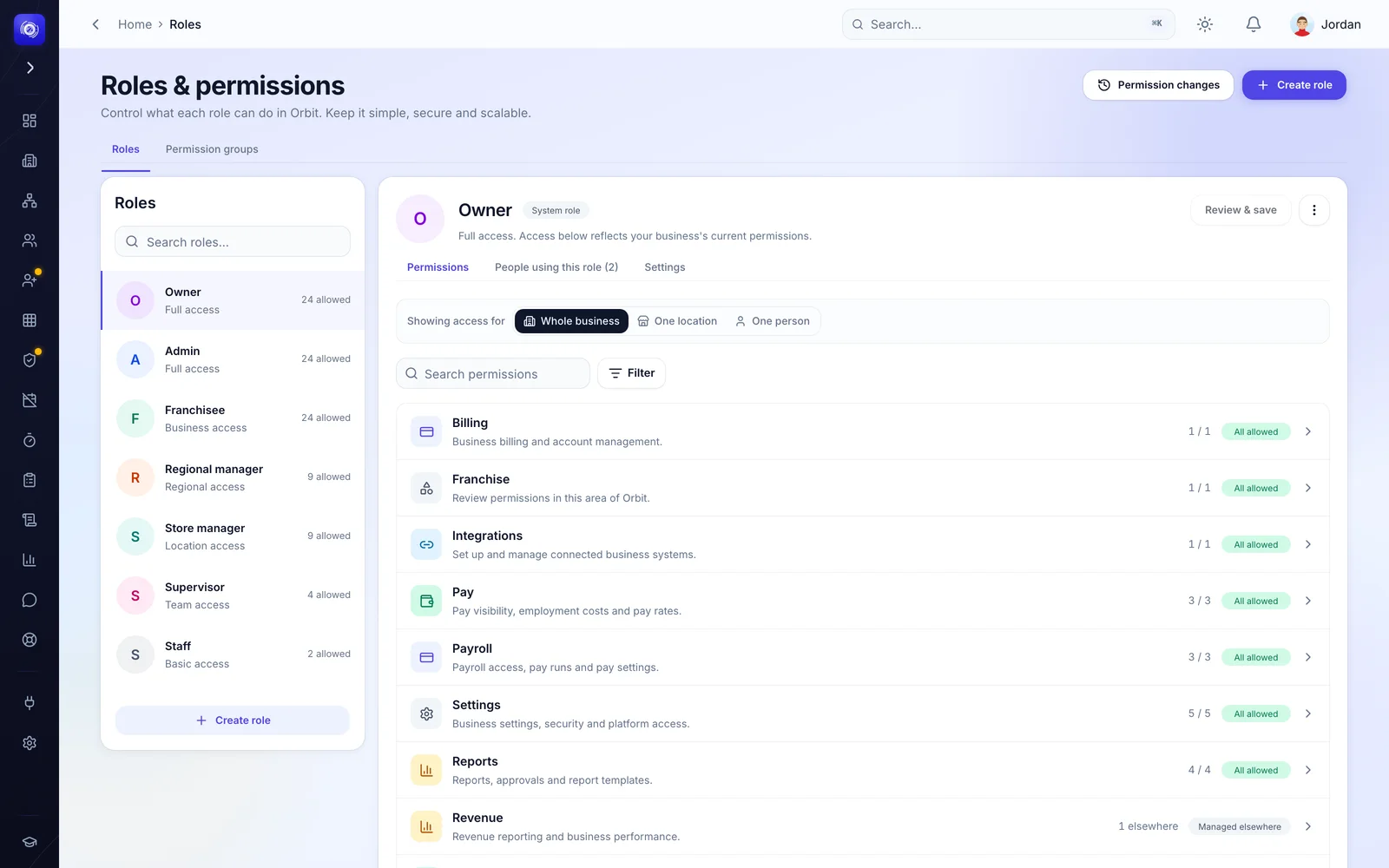
- Roles and permissions, including who may see wages. Stores you run
- The opening, closing and safety report forms stores fill in on the Orbit app. Stores you run
- What each store’s end-of-day summary includes. Stores you run
Why it holds up.
A franchisee is a separate business, not a location.
Each franchisee has its own workspace, entity, payroll, logins and data. Head office’s view comes through a connection the franchisee accepted, not through shared ownership of one account.
Sharing is the franchisee’s, and dollars are double-gated.
The franchisee decides what stays shared. A dollar figure is shown only when the category is shared and the person looking holds the wage or revenue permission, checked on the server on every read.
Rules are enforced in the database, not the screen.
A store set to owner approval cannot publish a roster without it. Roster changes, audit events and security events are append-only. Pay and personal details sit behind grant walls, not hidden fields.
Labour is priced by the same engine as payroll.
Rostered and worked labour on every dashboard comes from the engine that prices timesheets under Australian awards, so what head office reviews is what the store will pay.
Head-office workflows in Orbit.
Each one opens the full workflow: the problem, what head office sees, what it can do and the outcome.
Whole networkCompare storesOne picture of the whole network each week, without asking each owner for a report.See the workflow  Whole networkFranchise administrationEach franchisee runs their own business on their own account, and head office looks after the connection.See the workflow
 Stores you runRoster publishingRosters that need a second look get one before the team is told.See the workflow
 Whole networkLabour reviewThe venue running over shows up in the week it happens.See the workflow Stores you runPermissionsAccess matches the job, and pay and the network open only for the people meant to hold them.See the workflow
 Stores you runExceptionsNothing reaches payroll undecided, and every decision carries who made it and when.See the workflow Stores you runDaily reportsThe same opening and closing standard at every venue, with a record of who did it.See the workflow
Common questions.
Still wondering? Talk to us.
What is hospitality franchise management software?
Software that runs the daily operation of a hospitality franchise network (rosters, hours, labour, approvals, daily reports) across venues that different people own, so head office sees the network and sets the rules for the stores it runs while each franchisee runs their own business. Orbit Operations by Operator Systems treats each franchisee as a separate business connected to the brand, rather than as a location inside one account.
Who is Orbit Operations for?
Franchisors and head-office teams running café, quick-service and restaurant networks; groups that own some venues and franchise others; and the franchisees and store managers who run each venue day to day. Staff use the Orbit Staff app on their phones.
What does head office control?
For the stores its business runs: whether each store’s manager publishes rosters directly or needs owner approval, the roster templates and rate templates stores build from, roles and permissions including who may see wages, and the daily report forms teams fill in. Across the network: which franchisees are connected, and a read-only view of every venue with the figures each franchisee shares.
What does a franchisee manage themselves?
Their own store and team, their roster rules and approvals, their payroll and pay run under their own legal entity, their people’s access, what they share with the network, and whether the connection continues. All of it in their own Orbit workspace, which head office cannot edit.
Does head office see franchisee payroll?
No. When the franchisee shares labour (on by default), head office sees the store’s total labour cost and hours for the period. Pay rates, payslips, pay runs and any per-person figure stay inside the franchisee’s own payroll.
Which payroll software does it work with?
Approved hours go to Xero, Employment Hero or your other accounting connections. Each franchisee connects their own entity’s payroll, so their pay stays in their own system.
How do we get started?
Orbit for franchise networks is its own package. We start with a demo, so your owners, entities and stores are set up the right way from the first day.
See Orbit on a network like yours.
Orbit for franchise networks is its own package. We’ll walk through it with your structure.