
Bring a franchisee on board
without sharing a login.
Each franchisee runs their own Orbit. Head office invites them, approves the connection once their business checks pass, and looks after it from there: suspend, resume or end it, each action recorded.
Covers your whole network: the venues you run and your franchised venues.
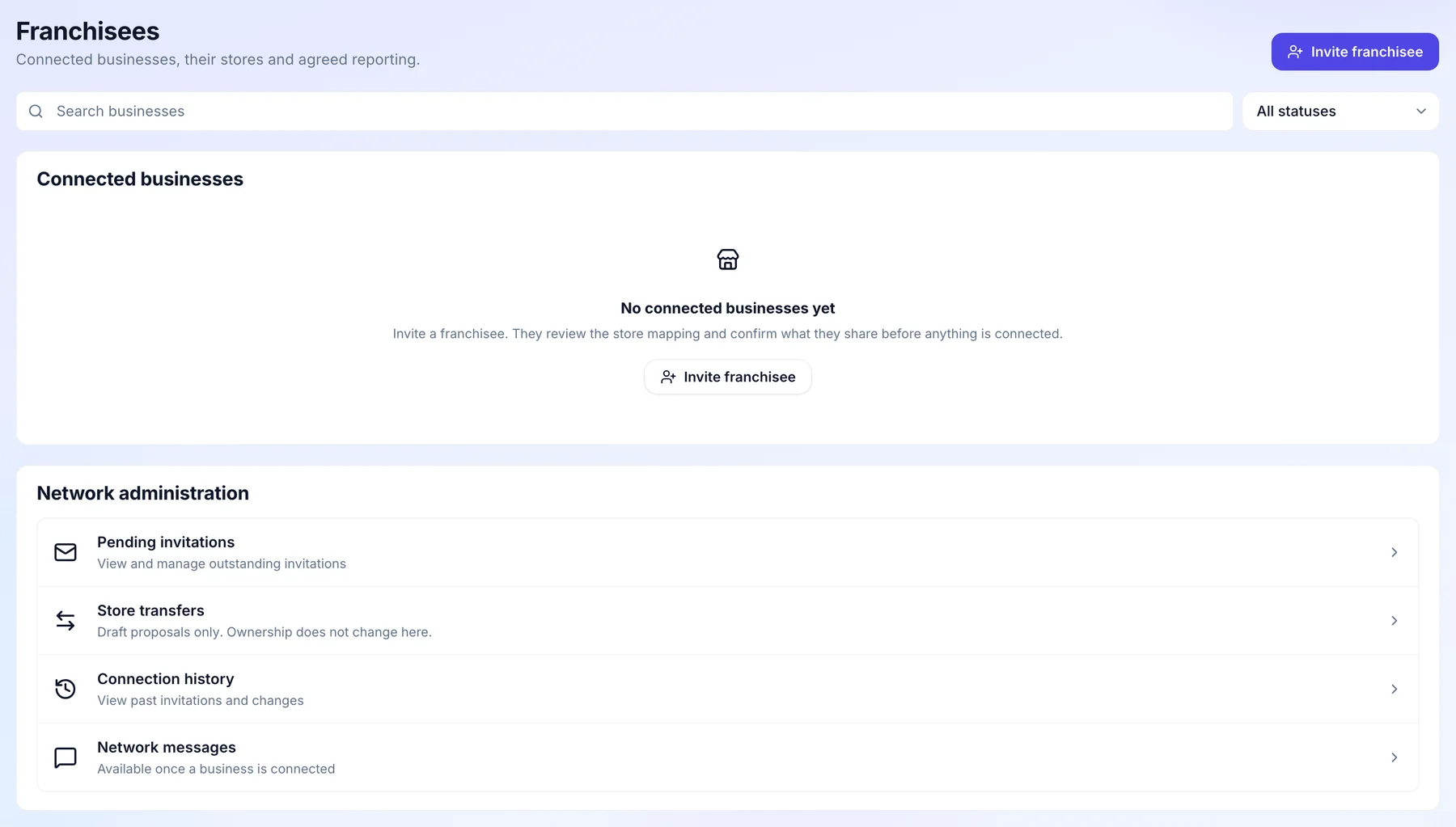
How it works for head office.
Bringing a new franchisee into your network, from the first invitation to the day the relationship changes.
- Before the first invitation
Choose who at head office sees the network.
Owners always can. Administrators can while “View the franchise network” is switched on for them, and you can switch it off for a role or one person. Store managers never hold it.
- Owners always
- Administrators by permission
- Store managers never

- When you sign a new franchisee
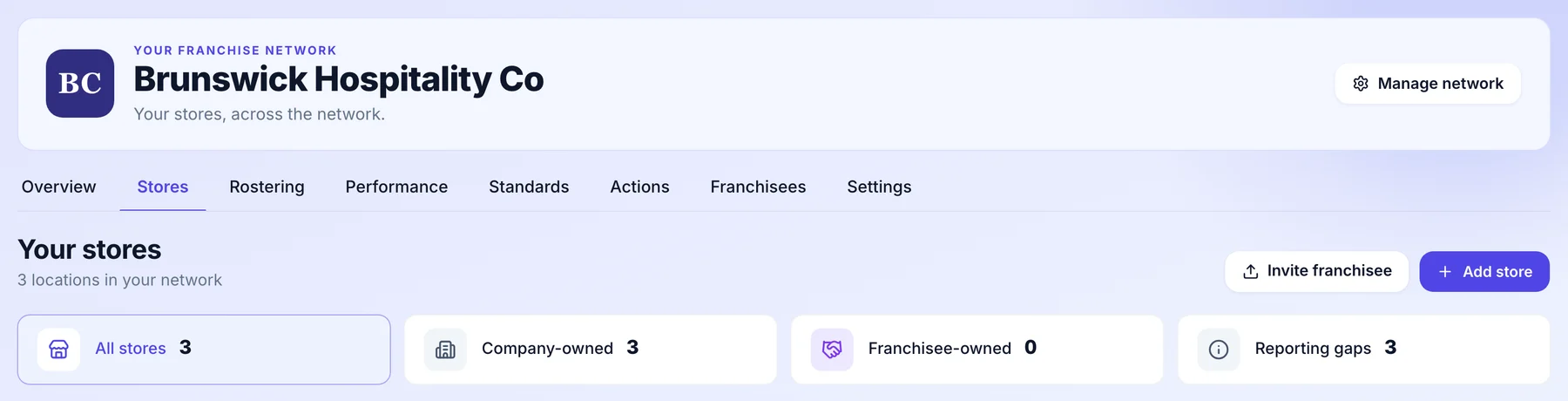
Send the invitation.
Press Invite franchisee and send it to their email. Once they are connected, their venues are counted beside yours as franchisee owned.
- Invite by email
- Company owned and franchised, side by side
- One network, many businesses
- When they accept
They choose what to share.
The franchisee accepts inside their own Orbit and picks the venues that join and the date reporting starts. They can narrow what the invitation asks for, never widen it, and some things are never shared at all.
- Their venues, their start date
- They can narrow sharing, never widen it
- Pay per person and personal details never cross

- Once the checks pass
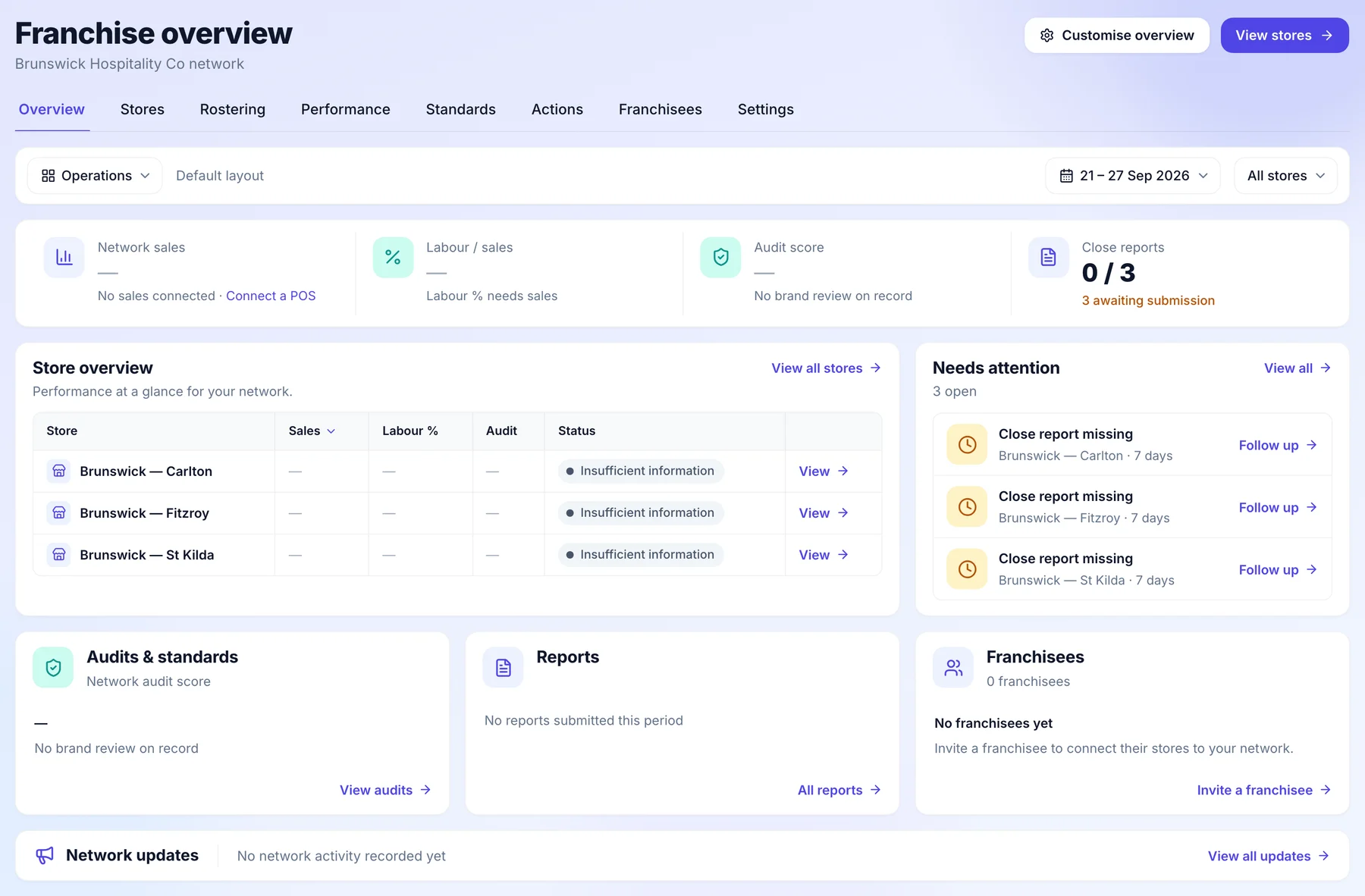
Approve it, and their venues appear.
The connection waits while the franchisee’s business identity, contact and authority are confirmed. Then you approve it, and their venues sit in your franchise overview beside your own.
- Business checks before approval
- Your approval, behind a fresh sign in
- Their venues beside yours
- When things change
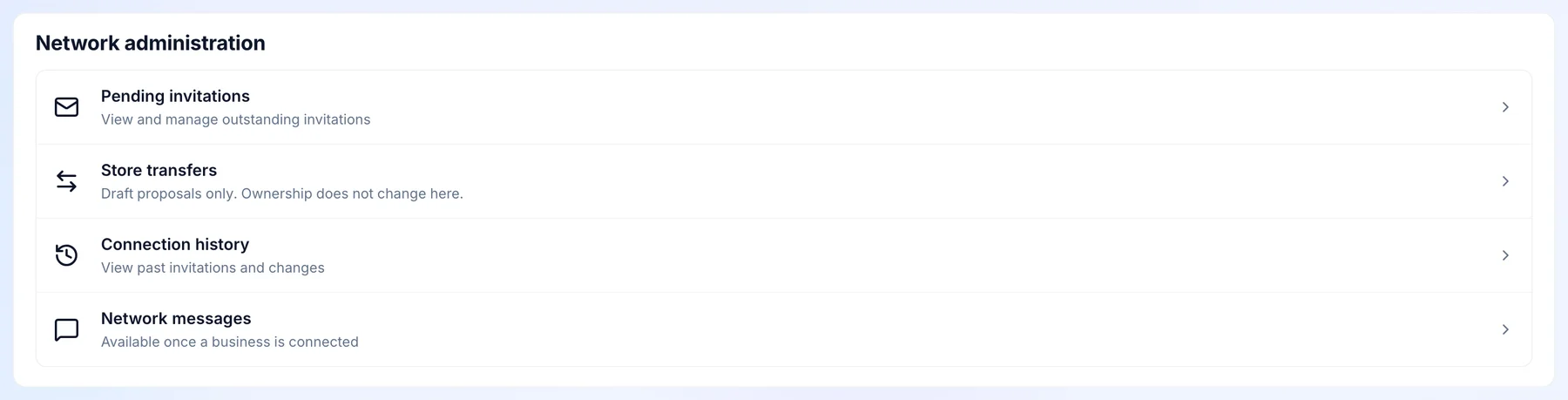
Suspend, resume or end it.
Look after every connection from Network administration: pending invitations, store transfers and the history of each connection. Message a connected franchisee there too. Every change is recorded.
- Pending invitations in one place
- Store transfers drafted here
- Every change on the record
Who does what.
Head office sees the network and sets the standard. The people running each venue keep running it.
Head office
- Invites a franchisee by email. They choose which of their venues join and the date reporting starts.
- Approves the connection once the franchisee has accepted and their business identity, contact and authority checks have passed.
- Suspends, resumes or ends a connection, each one recorded and behind a fresh sign in.
- Messages a connected franchisee in a thread for that connection.
- Decides which administrators can open the franchise view.
The franchisee
- Accepts from inside their own Orbit, and picks the venues and the start date.
- Can narrow what the invitation asks to share, never widen it.
- Keeps everything inside their business: people, rosters, approvals and payroll.
- Can end the connection from their side too.
Common questions.
Something else on your mind? Talk to us.
Can head office change what a franchisee shares?
No. Sharing is the franchisee’s setting. It starts with what the invitation asked for, and only the franchisee can narrow it.
Does each franchisee need their own Orbit?
Yes. Each franchisee runs their own business in their own Orbit, with their own people, payroll and logins. The connection is what links it to your network.
Can a venue move from head office to a franchisee?
You can draft a store transfer in Network administration. The change of ownership itself is recorded as a store handover, and the weeks before it stay with the previous owner.
More head-office controls.
See it on a network like yours.
We’ll walk you through a week at head office on a demo network, set up the way yours runs.