
Every venue’s week,
side by side.
Company run and franchised venues on one screen. See each venue’s roster, hours and labour for the week, and open any one of them when it needs you, without asking anyone for a spreadsheet.
Covers your whole network: the venues you run and your franchised venues.
How it works for head office.
A normal week at the head office of a hospitality franchise network, from Monday’s first look to Friday’s follow up.
- Monday, first thing
Open the network, not ten inboxes.
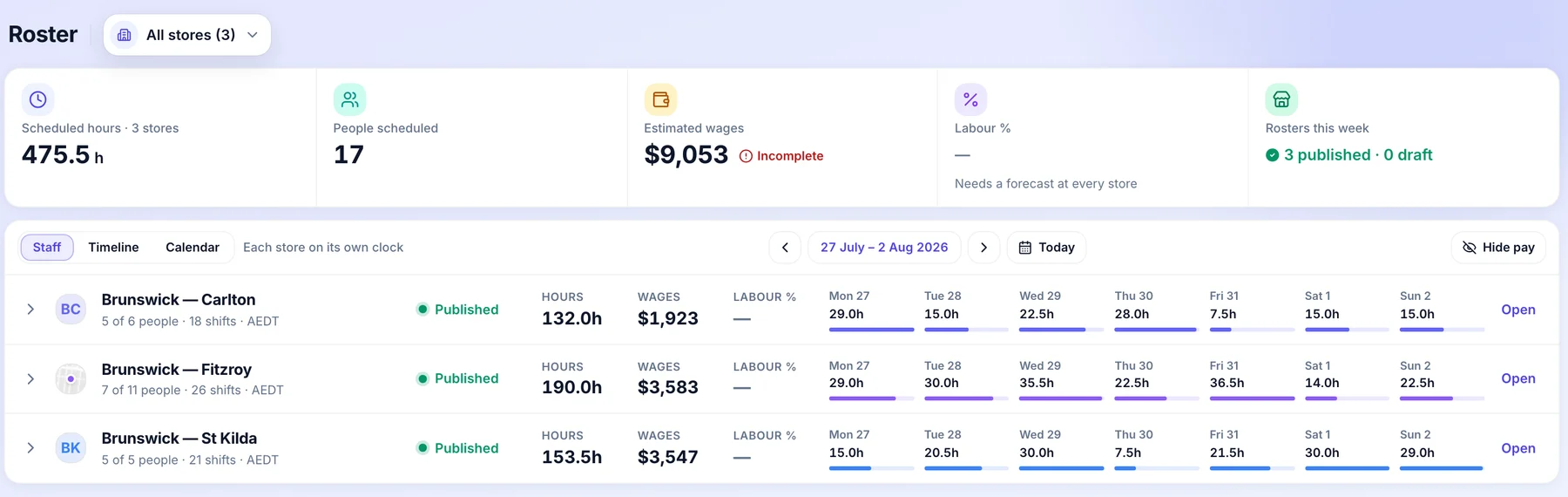
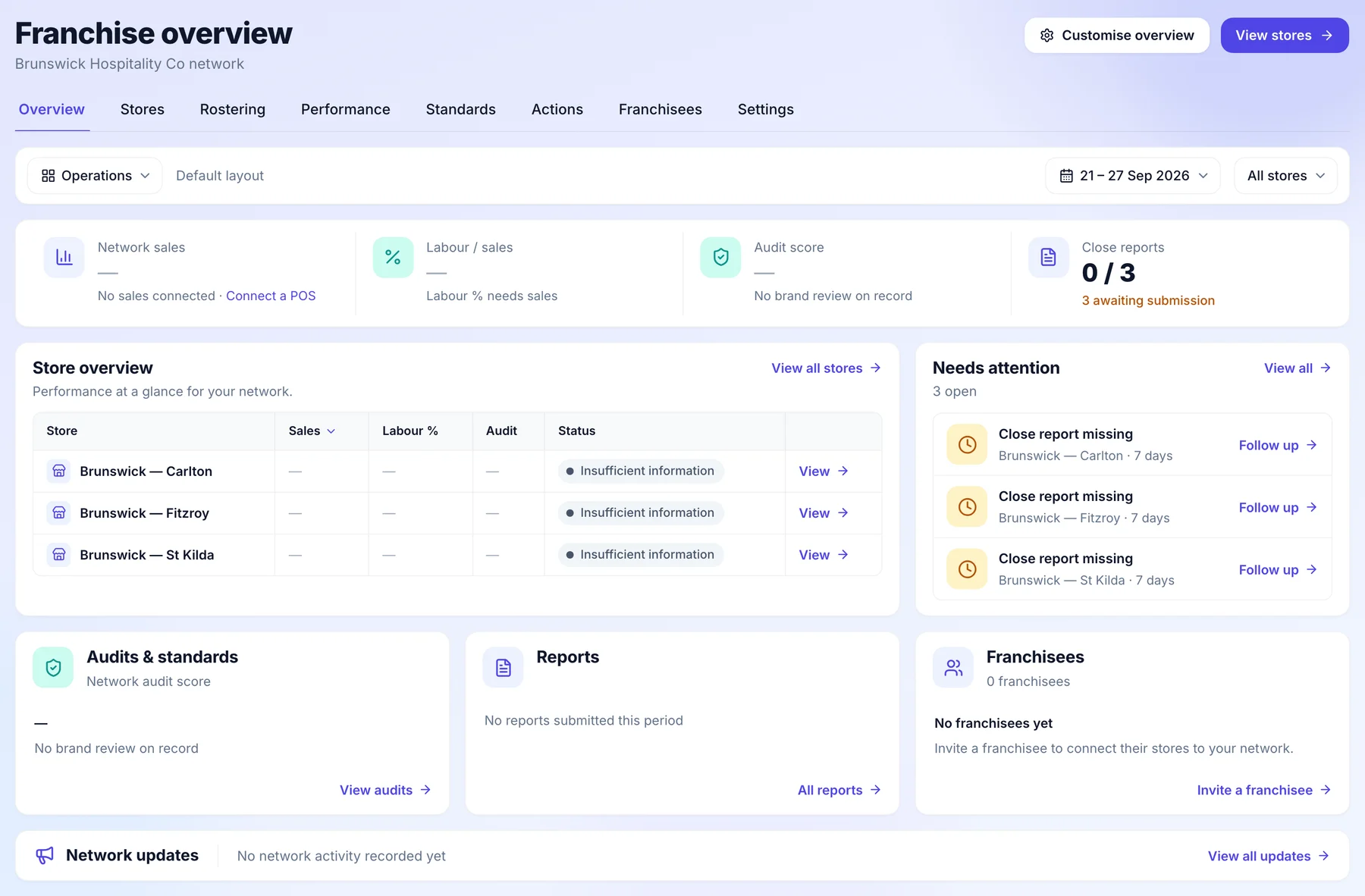
The franchise overview is the first thing you see: every venue, how complete its week is and what needs following up. Company run and franchised venues sit in the same list.
- Every venue on one screen
- What needs you, at the top
- Pick the week and the venues
- Monday morning
Know who runs what.
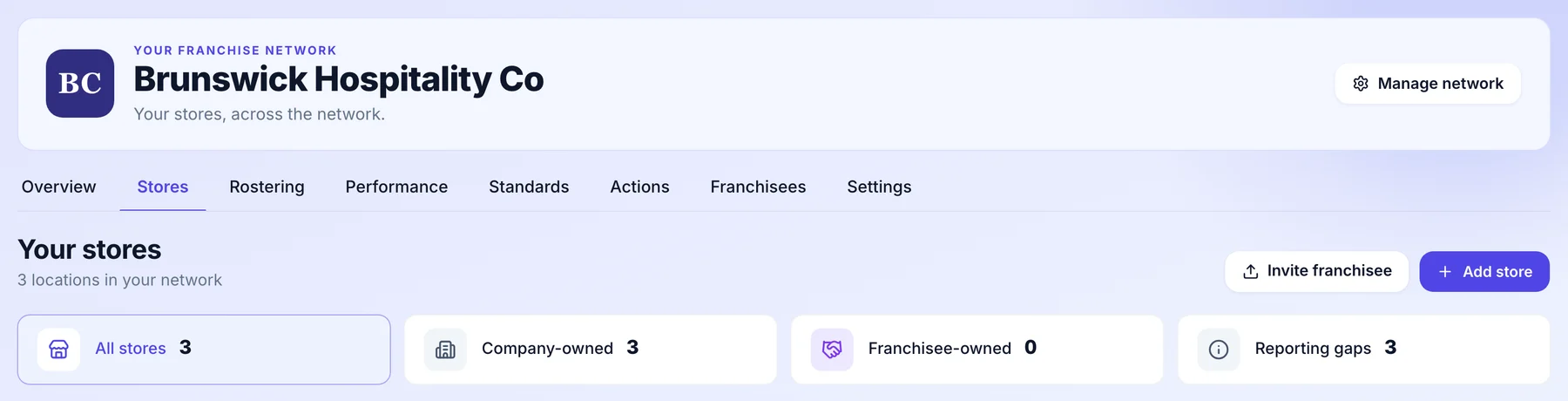
The Stores tab counts your venues by ownership: company owned, franchisee owned and any with gaps in their reporting. Open any venue from the list.
- Company owned and franchised, counted
- Reporting gaps called out
- Invite a franchisee from here
- Tuesday
Open any venue’s roster.
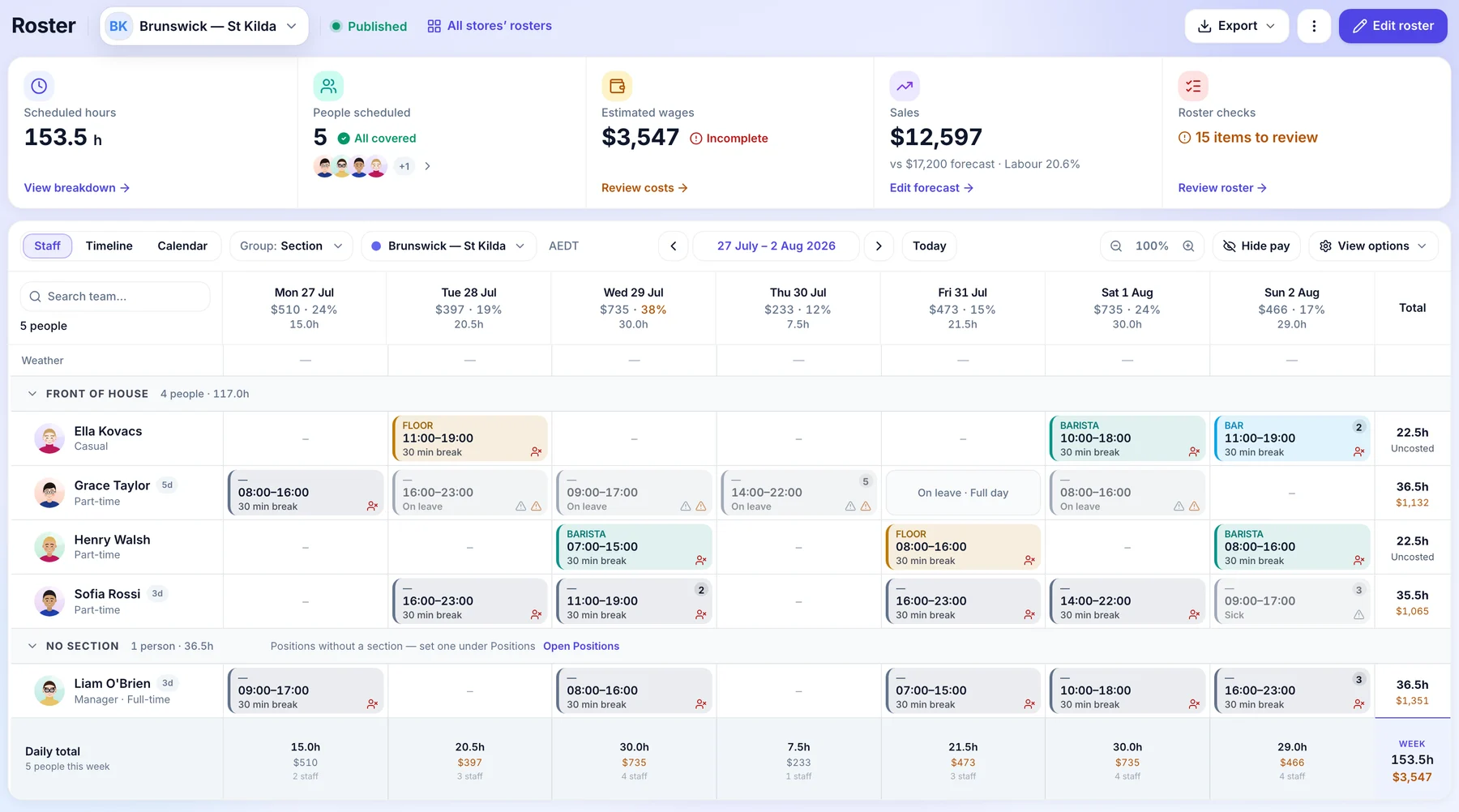
Click into a venue and its whole week is there. At a venue you run that is the full roster with its costs. At a franchised venue it opens read only, with names, positions and times and no pay, because the roster is theirs.
- Every person and every shift
- Franchised rosters are read only
- Pay never crosses
- Wednesday
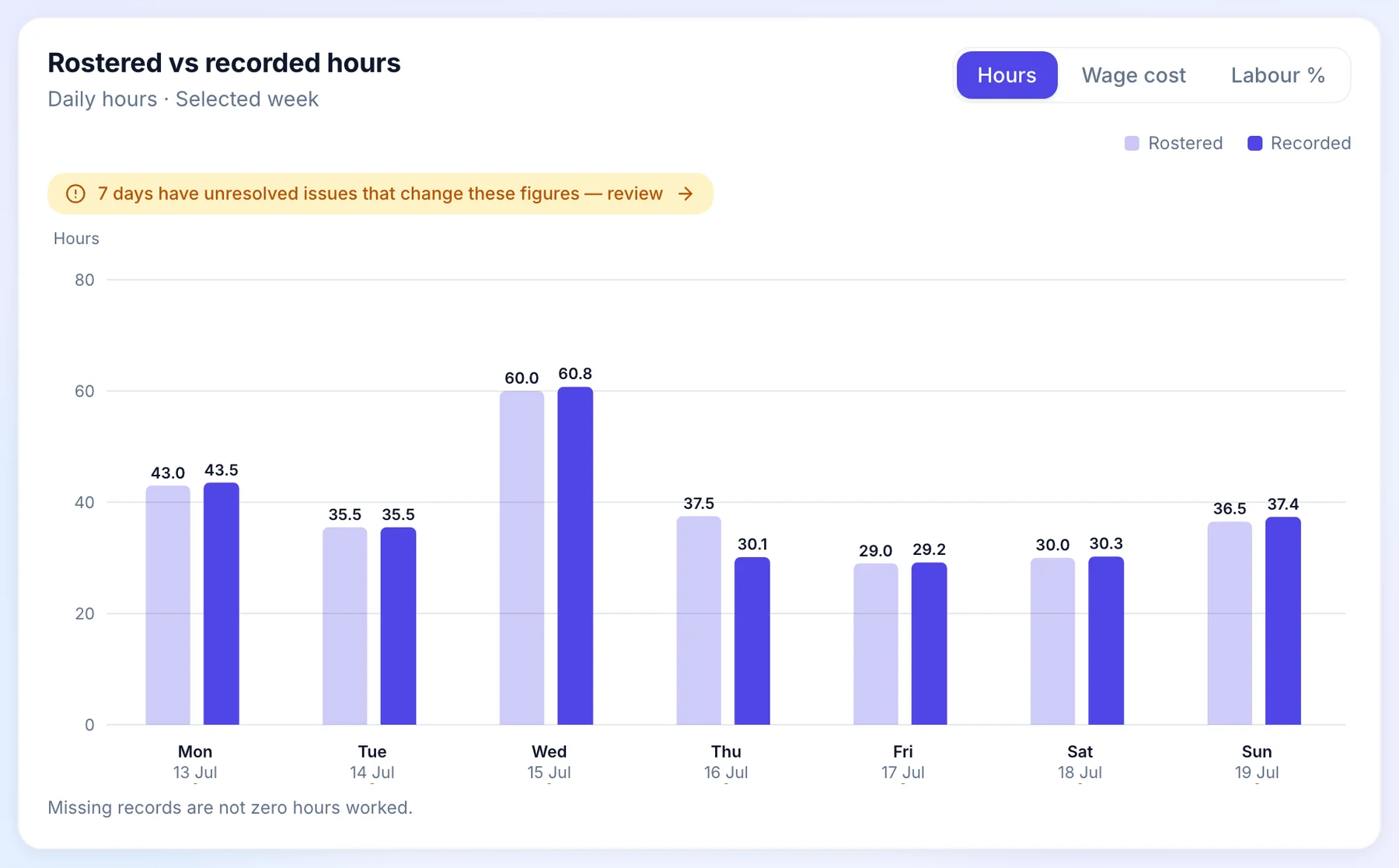
See where the hours went.
Labour shows rostered against recorded hours, day by day, across the venues you pick. A venue running over shows up in the week it happens, not when the accounts arrive.
- Rostered against recorded, by day
- Compared with the week before
- Franchised venues show the totals they share
- Friday
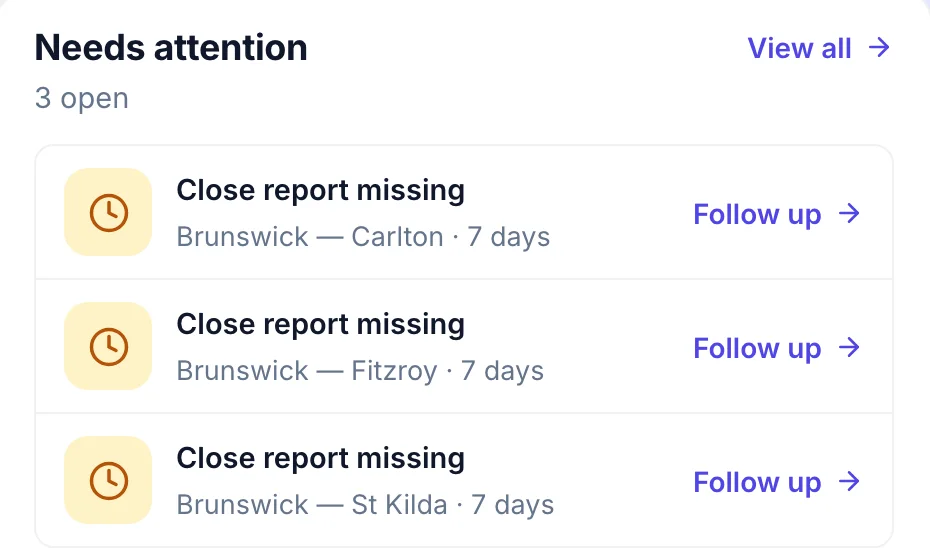
Follow up before the weekend.
Needs attention lists what is still open, venue by venue, like a close report that has not come in. Each one has a Follow up link that takes you straight to it.
- Open items by venue
- How long each has waited
- One click to follow up
Who does what.
Head office sees the network and sets the standard. The people running each venue keep running it.
Head office
- Sees every venue on one screen, company run and franchised, with who owns it.
- Opens a franchised venue’s roster and timesheet totals read only: names, positions and times, never pay.
- Compares hours and labour cost by venue for the week, against the week before.
- Follows up a venue from the Needs attention list on the overview.
The franchisee
- Runs their venue, team and payroll in their own Orbit.
- Keeps the pen. Head office never edits their roster or approves their timesheets.
- Chooses what the network sees. Labour, attendance and standards are shared by default, and only the franchisee can narrow it.
- Never sees another franchisee’s venues.
Common questions.
Something else on your mind? Talk to us.
Do we need to log in to each franchisee’s account?
No. The franchisee accepts a connection from their own Orbit. From then on their venues appear in your franchise view, read only, with what they have agreed to share.
What if a franchisee shares less?
You see only what they leave on. Labour, attendance and standards are shared by default, at least one category always stays on, and only the franchisee can change it.
Do we need sales connected to compare venues?
No. Hours, labour cost, attendance and rosters come from Orbit itself, so they show from the first week. A venue can enter a sales forecast on its roster to see labour against it.
Can franchisees see each other’s venues?
No. Each franchisee is a separate business in Orbit and only ever sees their own venues.
More head-office controls.
See it on a network like yours.
We’ll walk you through a week at head office on a demo network, set up the way yours runs.