
Know which venues opened
and closed properly today.
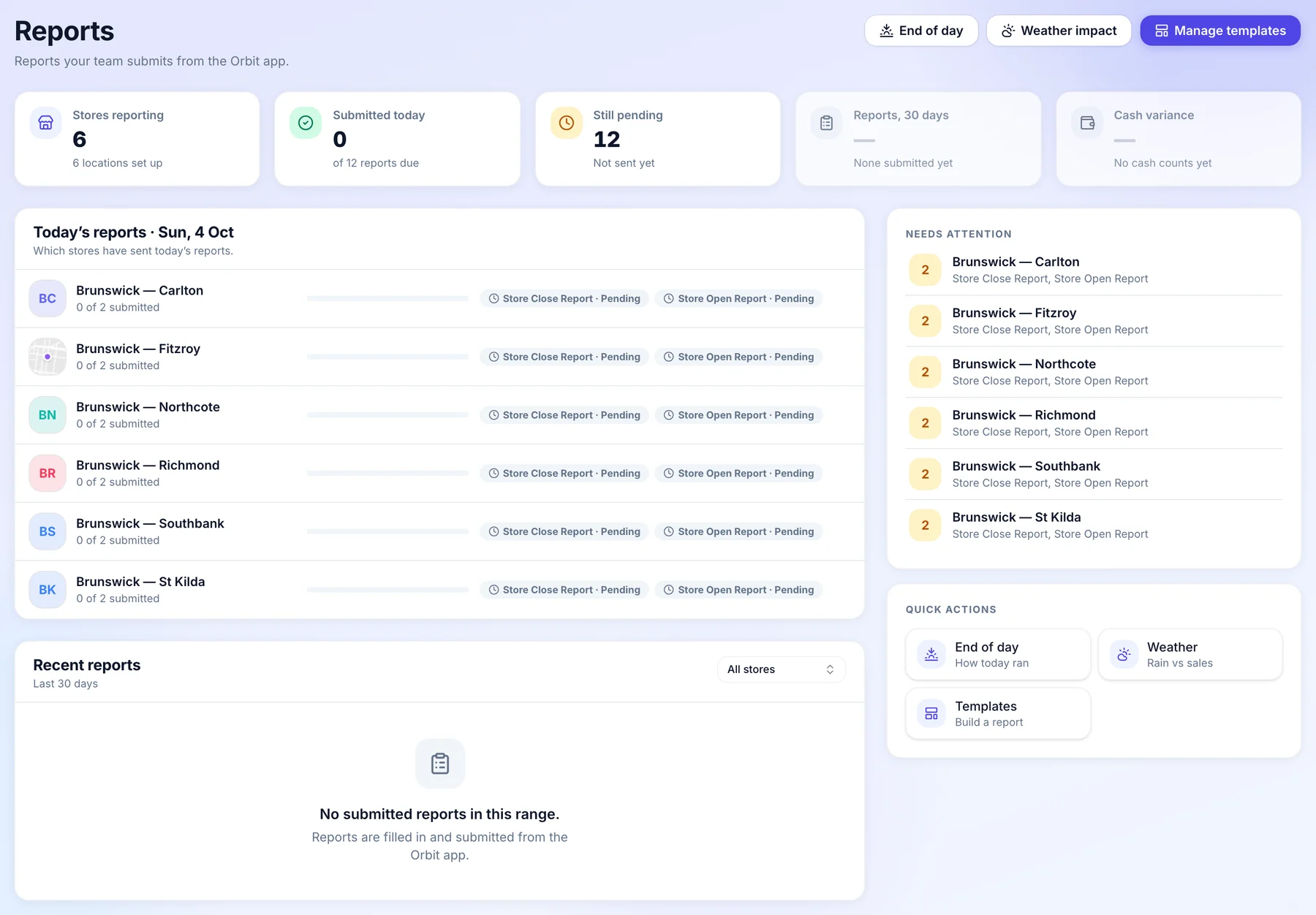
Your teams fill in the opening and closing reports on the Orbit app. One board shows which venues have sent today’s and which are still pending, and each venue has an end of day view of how the day went.
Covers the venues your business runs. In a franchised venue, it stays with the franchisee.
How it works for head office.
One day of opening and closing reports across the venues you run, from setting them up to following up the one that did not come in.
- Setting up
Opening and closing reports, ready to go.
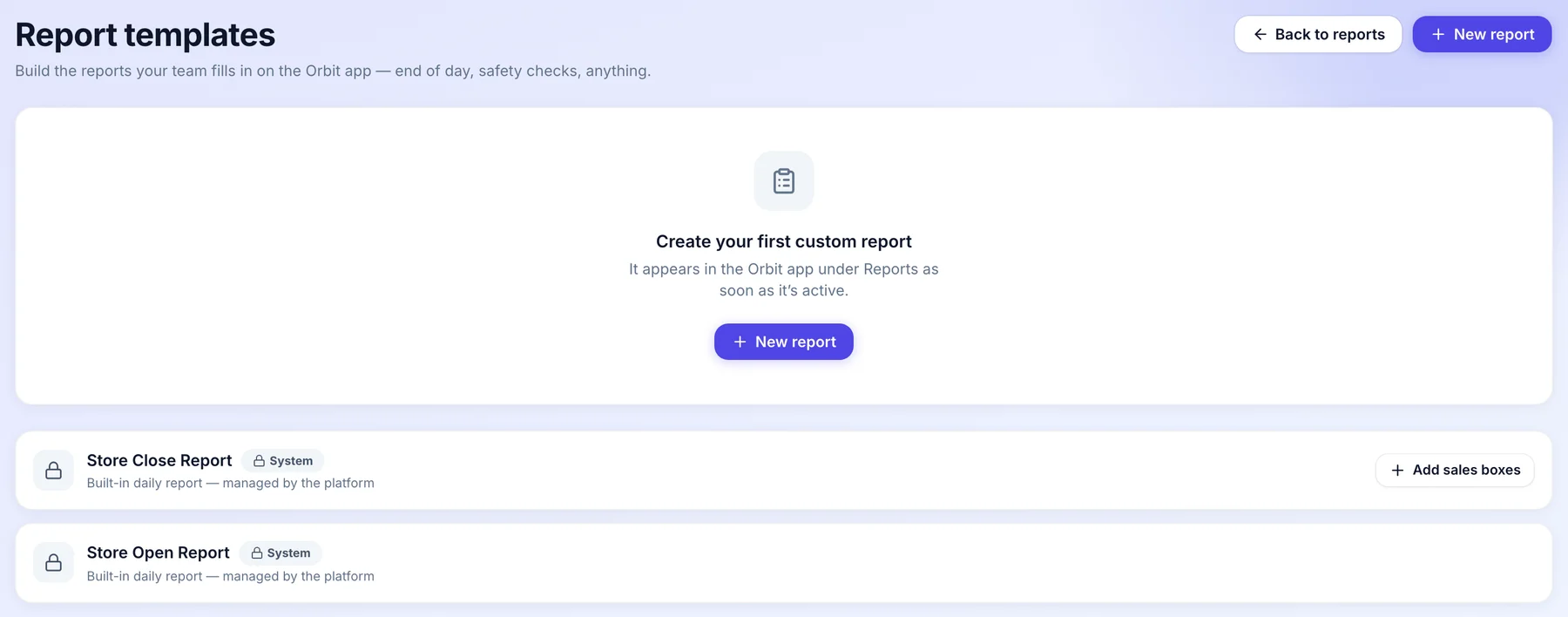
Every venue starts with a Store Open and a Store Close report. Build your own on top, like a safety check, and it appears in the Orbit app as soon as it is active.
- Built in opening and closing reports
- Your own reports on top
- In the app as soon as they are active
- For each venue
An end of day at its own local time.
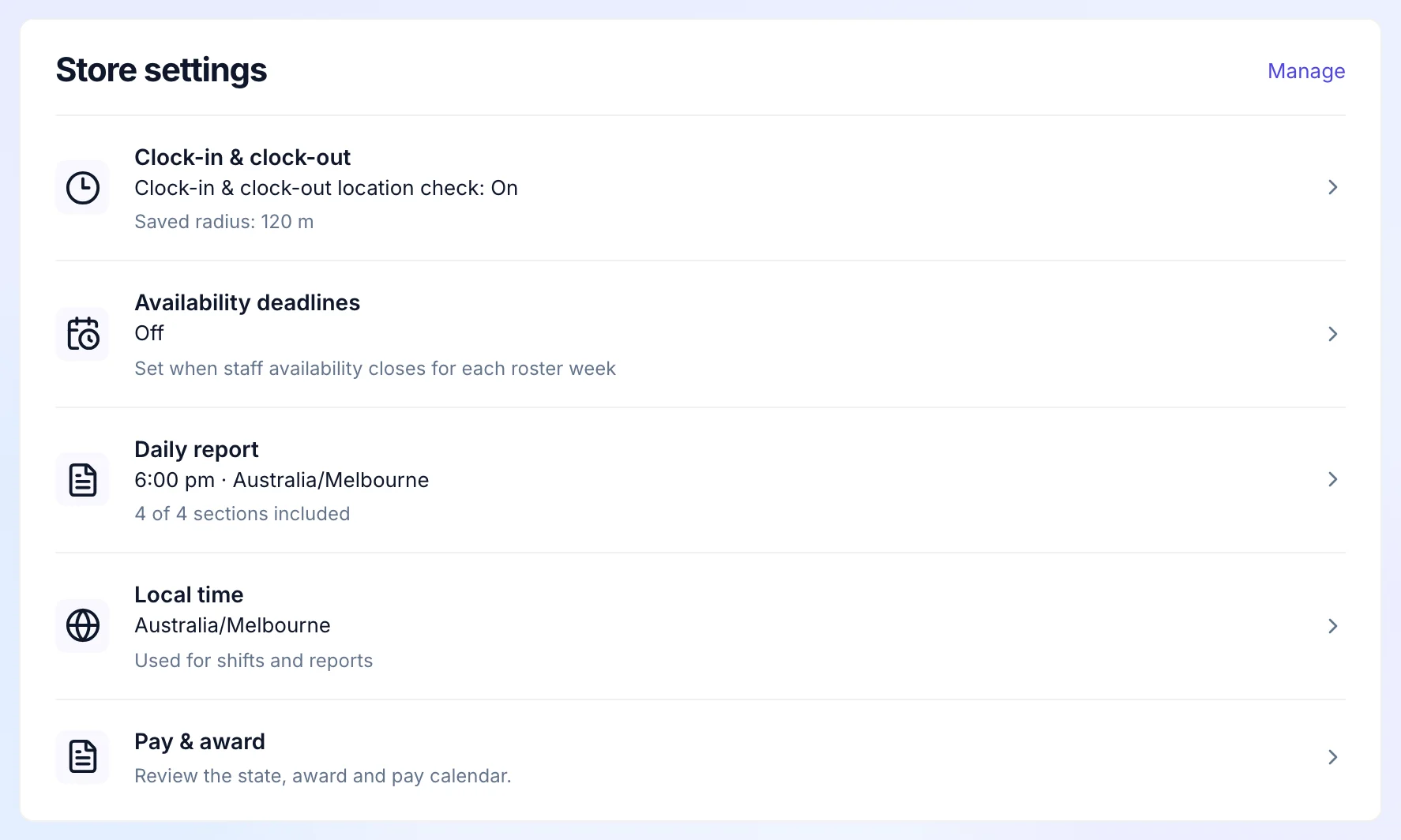
Each venue’s settings hold its end of day report time in the venue’s own timezone and what the report includes, beside its clock in rules and local time.
- Set per venue
- In the venue’s own timezone
- Choose what it includes
- Every morning
See who has reported.
The Reports board shows each venue’s reports for today, sent or still pending. The venues still to report are listed on their own, so you know exactly who to call.
- Sent or pending, by venue
- Reports due today, counted
- The venues still to report, listed
- At close
How the day went, venue by venue.
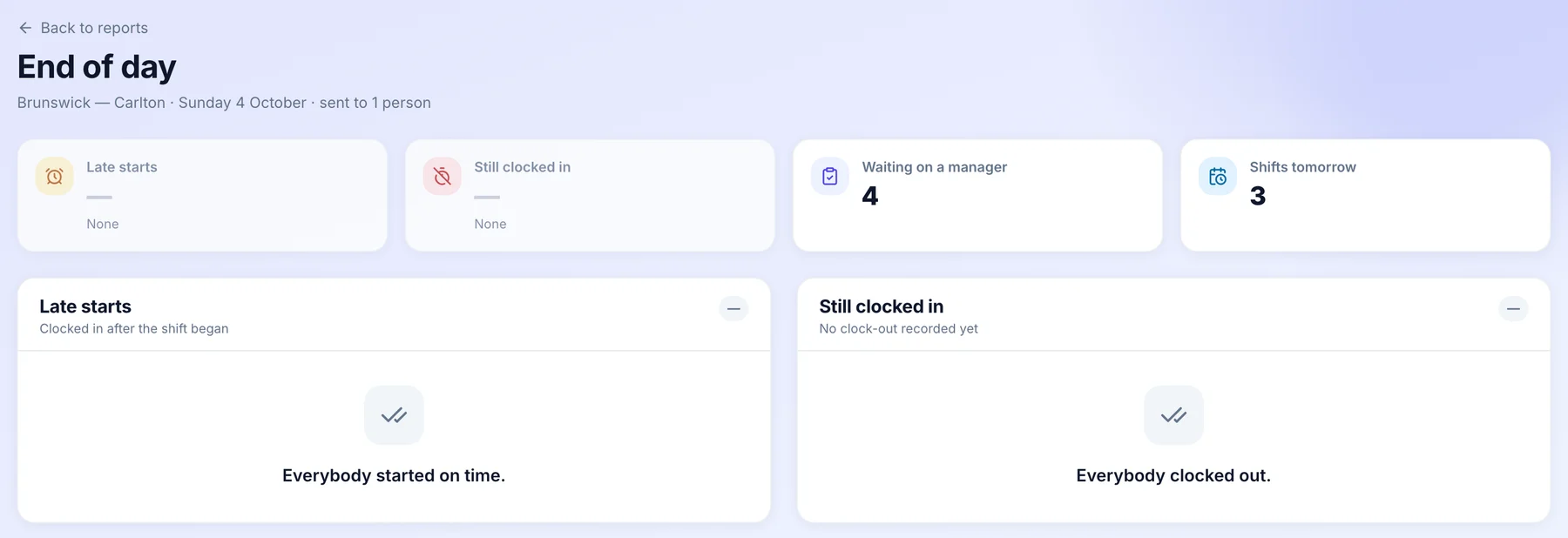
End of day shows late starts, people still clocked in, hours waiting on a manager and how many shifts are rostered tomorrow, so the next shift starts clean.
- Late starts
- People still clocked in
- Hours waiting on a manager
- When one is missing
Follow it up.
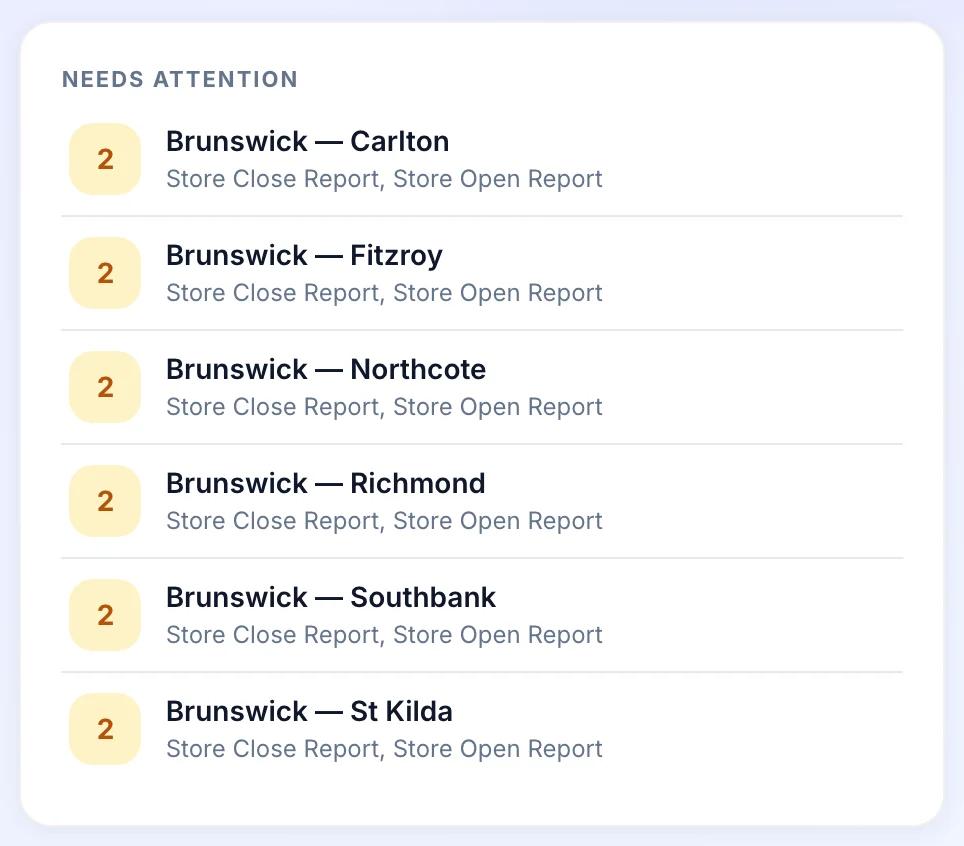
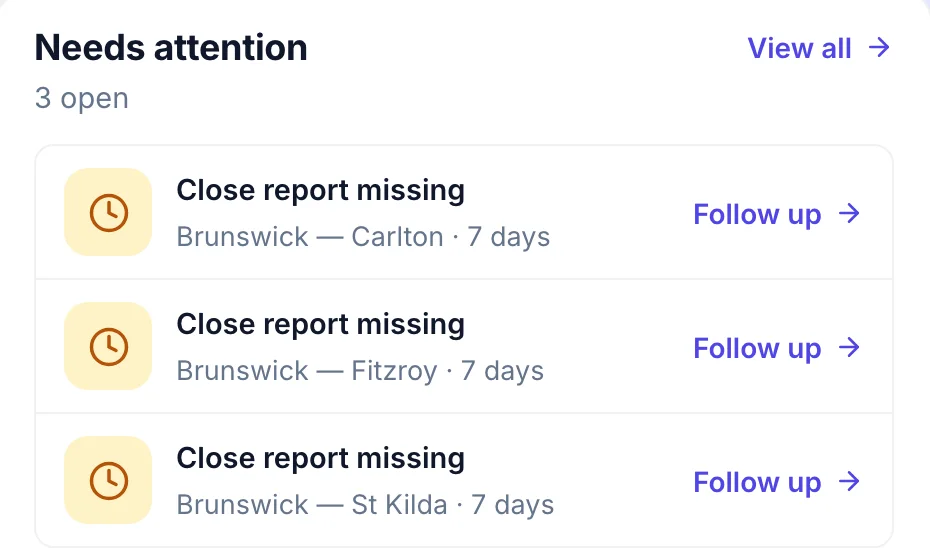
A close report that has not come in shows on the franchise overview under Needs attention, with how long it has been missing and a Follow up link.
- Missing reports by venue
- How long they have been missing
- Follow up in one click
Who does what.
Head office sees the network and sets the standard. The people running each venue keep running it.
Head office
- Sees which venues have sent today’s opening and closing reports, and which are pending.
- Builds its own reports on top of the built in opening and closing reports.
- Sets each venue’s end of day report time and what it includes.
- Follows up a missing report from the franchise overview.
The venue team
- Fills in the opening and closing reports on the Orbit app.
- Sees a new report in the app as soon as it is active.
- In a franchised venue, the reports and the board are the franchisee’s own.
Common questions.
Something else on your mind? Talk to us.
Do daily reports need another system?
No. Reports are set up on the web and filled in on the Orbit app. The end of day view reads the rosters and timesheets Orbit already holds.
Can we add our own checks?
Yes. Build a report with the sections your venues need and it appears in the Orbit app as soon as it is active.
Does this cover franchised venues?
The Reports board covers the venues your business runs. In a franchised venue the reports belong to the franchisee, in their own Orbit.
More head-office controls.
See it on a network like yours.
We’ll walk you through a week at head office on a demo network, set up the way yours runs.