
The right access for every role,
from head office to the floor.
Owners, admins, area managers, venue managers and staff each get the access their job needs. Set it across the business or for one venue, and keep pay with the people meant to see it.
Covers the venues your business runs. In a franchised venue, it stays with the franchisee.
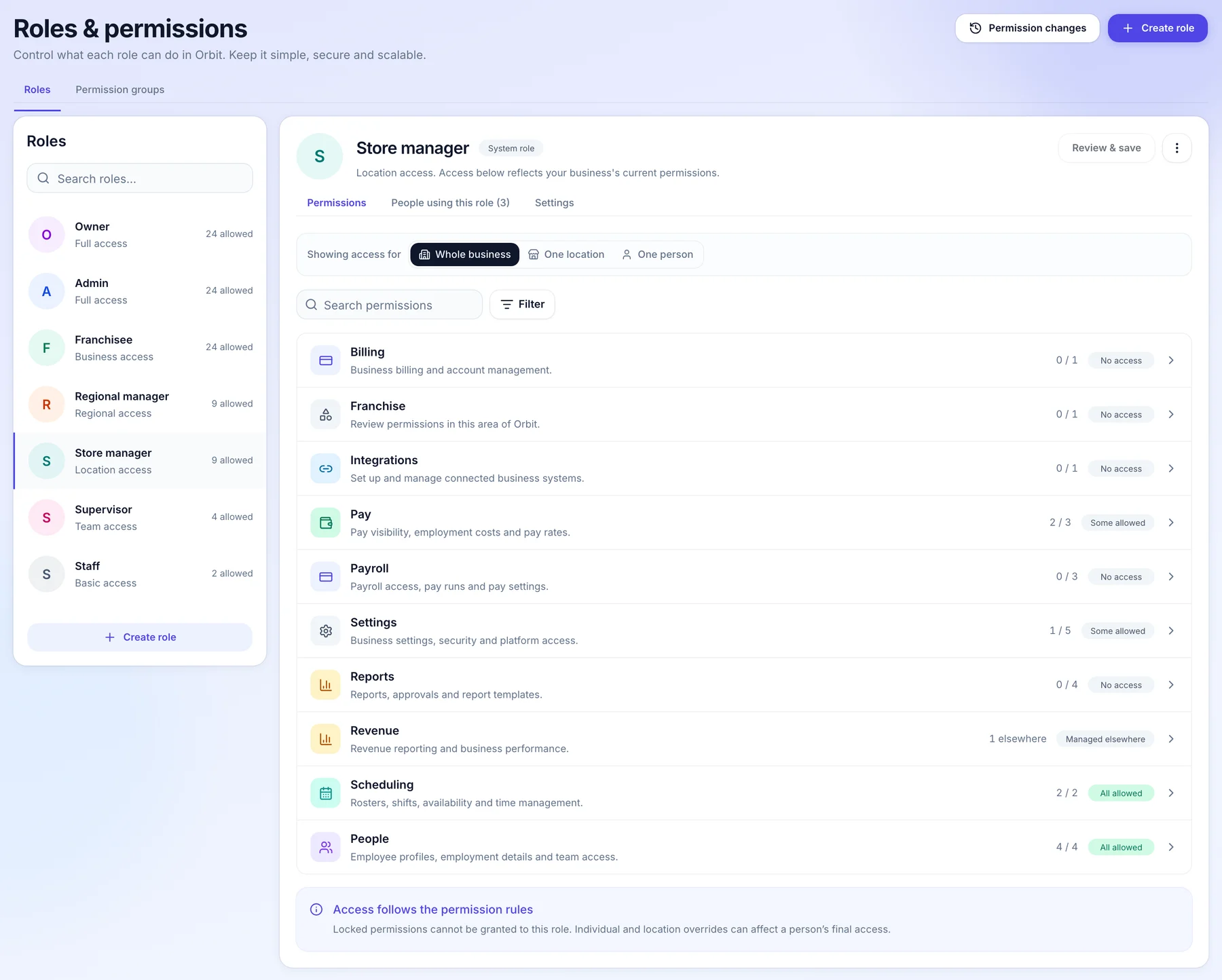
How it works for head office.
Setting up access for a growing network: Owner, Admin, Franchisee, Regional manager, Store manager, Supervisor and Staff come ready to use.
- When you appoint an area manager
Give them their venues, not the business.
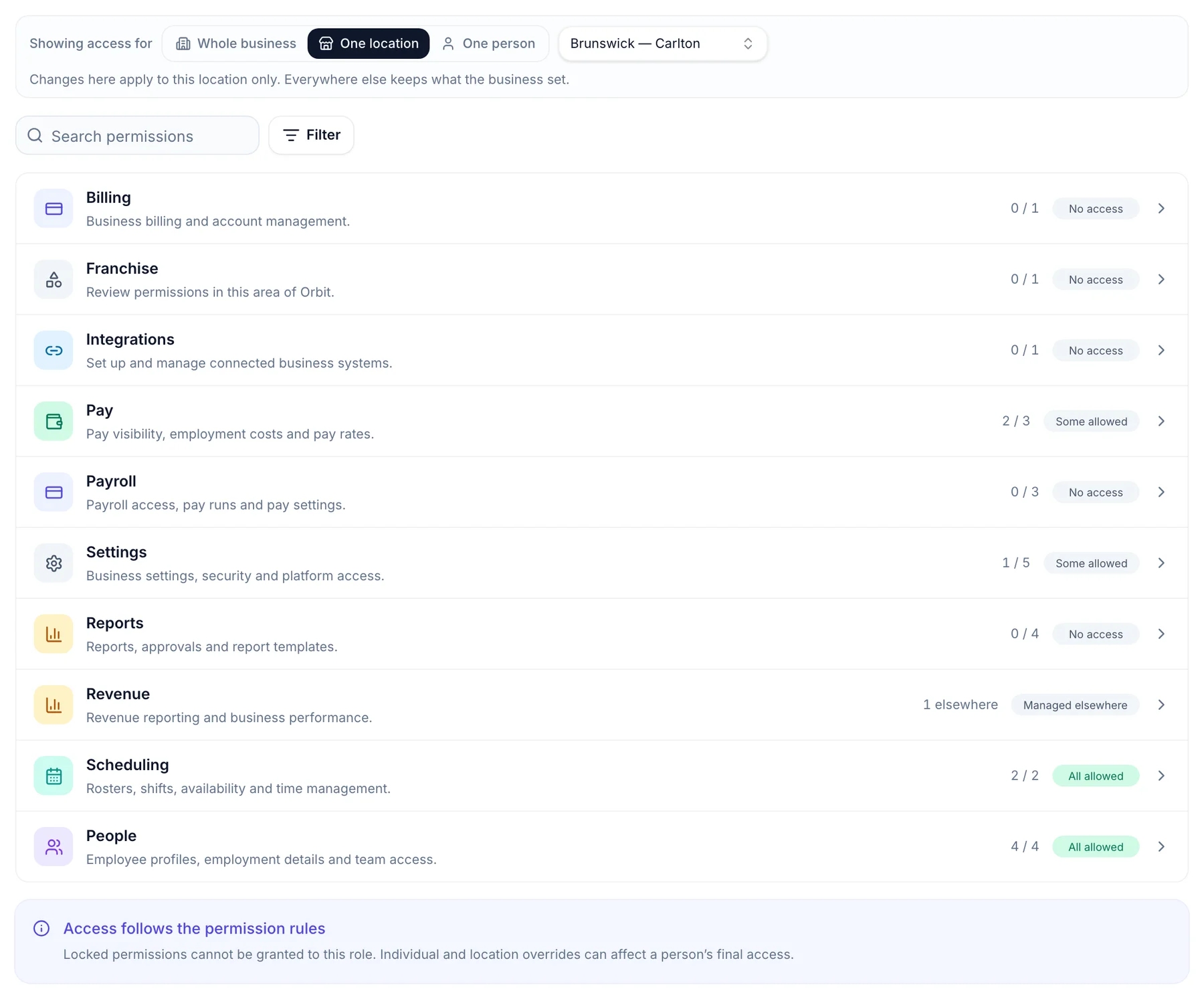
Switch to one location to set what a role can do at a single venue. Everywhere else keeps what the business set, so a manager runs their venue without seeing the rest.
- Access for the business, one venue or one person
- Rosters and their team, yes
- Billing and payroll settings stay with you
- Before anyone sees a wage
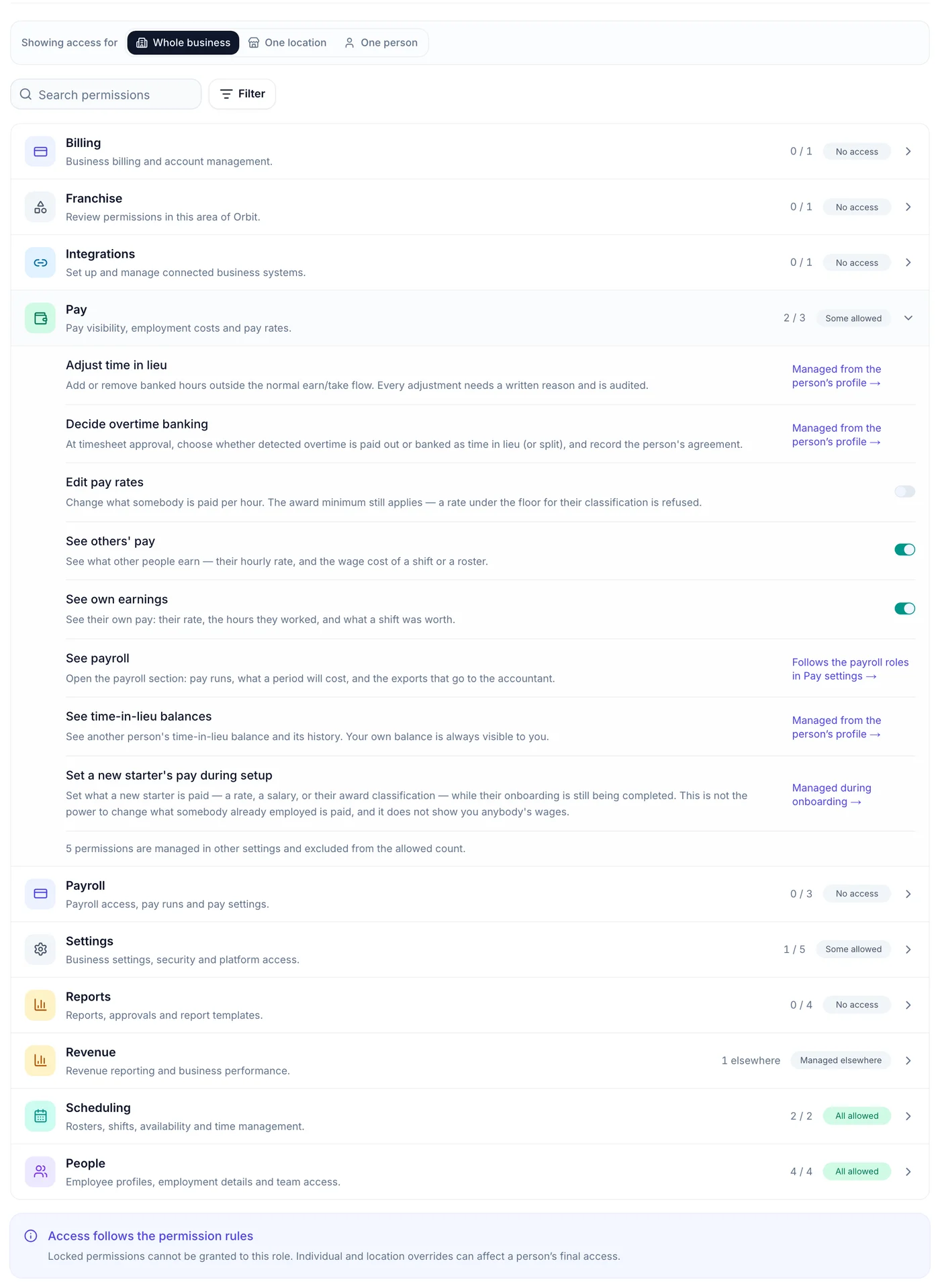
Pay has its own switches.
Seeing others’ pay, editing pay rates and opening payroll are separate permissions. Let a venue manager see what a shift costs without letting them change anyone’s rate.
- Seeing pay, on or off
- Editing rates, on or off
- Checked on the server, not just hidden
- For your head office team
Decide who opens the network.
Owners always see the franchise view. Administrators have it by default, and you can switch it off for a role or for one person. Store managers never hold it.
- Owners always
- Administrators by default
- Off for one person when you need it

- For franchised venues
Their people stay theirs.
A franchisee sets roles for their own team in their own Orbit. Head office cannot grant anyone anything inside their business, and their team’s pay and personal details are never shared.
- Their roles, their call
- No access granted from head office
- Pay and personal details never cross

Who does what.
Head office sees the network and sets the standard. The people running each venue keep running it.
Head office
- Sets what each of the seven roles can see and do, including who sees wages and who opens the franchise view.
- Sets access for the whole business, one venue or one person.
- Keeps pay behind its own permissions, checked on the server on every read.
The franchisee
- Sets roles and access for their own people, in their own Orbit.
- Head office cannot grant anyone anything inside a franchisee’s business.
- Their team’s pay and personal details never reach head office.
Common questions.
Something else on your mind? Talk to us.
Can a franchise admin see the whole network?
Administrators have the franchise view by default, and the owner can switch it off for a role or for one person. Store managers never hold it.
Can I limit a manager to one venue?
Yes. Set their access at one location and they work there without seeing the rest of the business.
Can head office set permissions for a franchisee’s team?
No. A franchisee looks after roles and access for their own people in their own Orbit.
More head-office controls.
See it on a network like yours.
We’ll walk you through a week at head office on a demo network, set up the way yours runs.