
Catch the venue running over
in the week it happens.
See rostered against recorded hours and labour cost for every venue, for any week. Franchised venues share their totals by default, and dollars show only to people allowed to see wages.
Covers your whole network: the venues you run and your franchised venues.
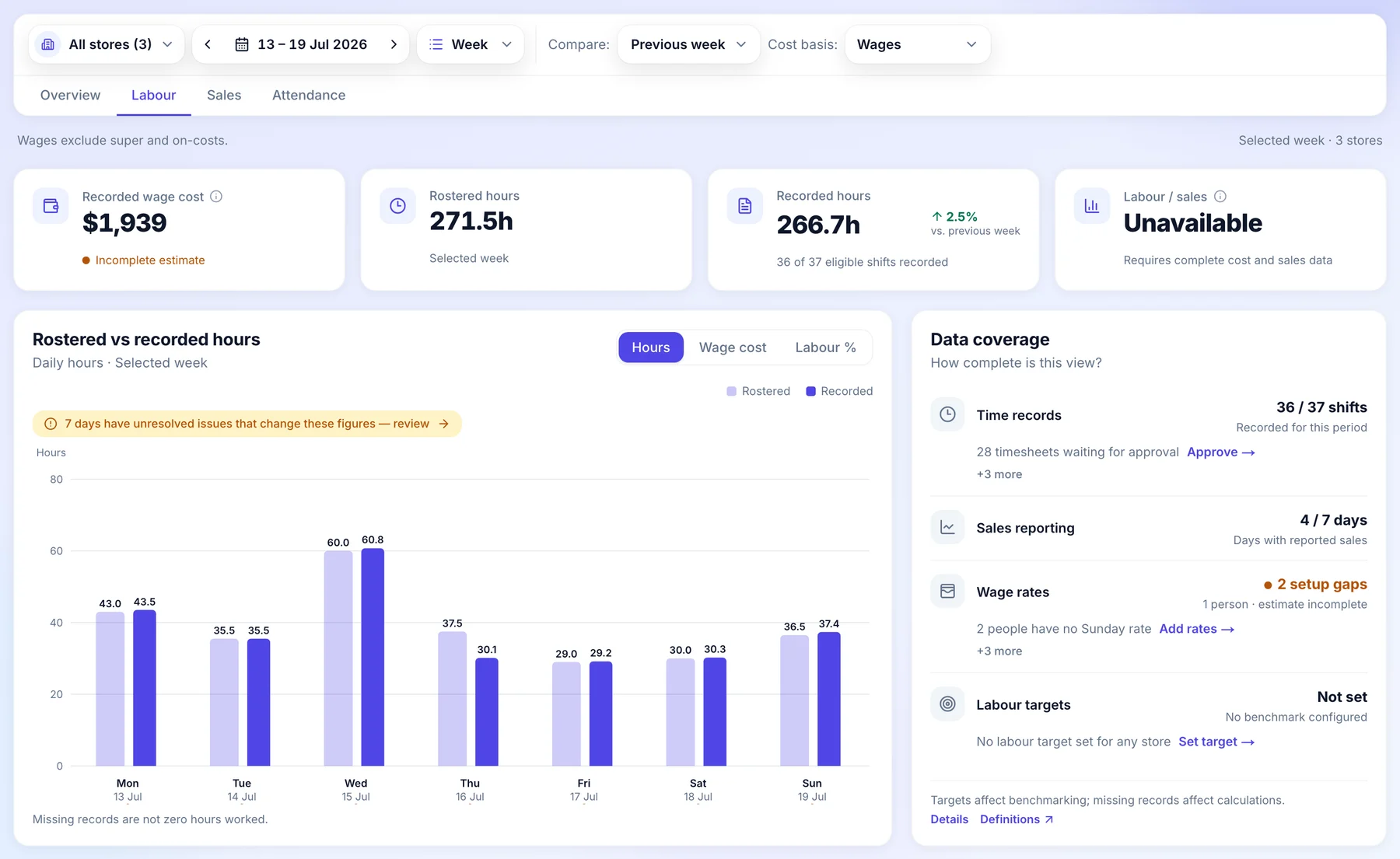
How it works for head office.
One week of labour across your venues, from the roster that plans it to the hours your teams actually worked.
- Before the week starts
The cost is on the roster.
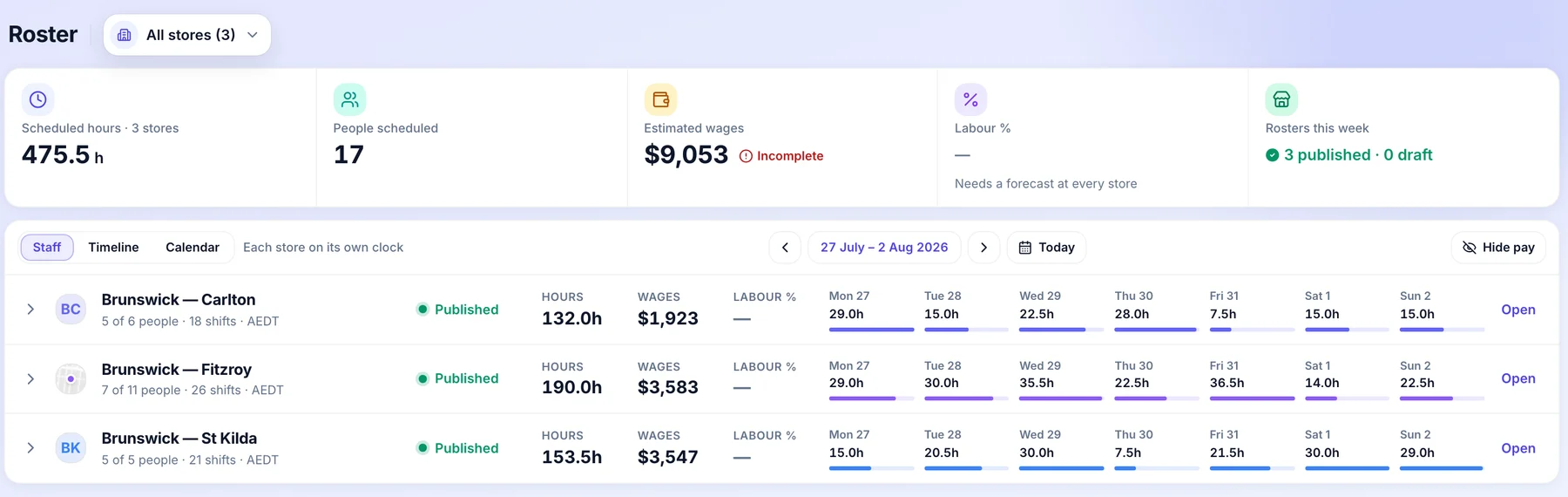
Every roster shows its scheduled hours, estimated wages and the venue’s own sales forecast as it is built, so the plan is costed before anyone works a shift.
- Scheduled hours and estimated wages
- Against the forecast the venue enters
- Checked before it is published

- Monday
Every venue’s week in one view.
All stores’ rosters puts each venue’s hours and wages side by side, so a heavy week stands out before it starts.
- Hours and wages by venue
- Each day’s hours at a glance
- Open any venue’s roster
- As the week runs
Rostered against recorded, day by day.
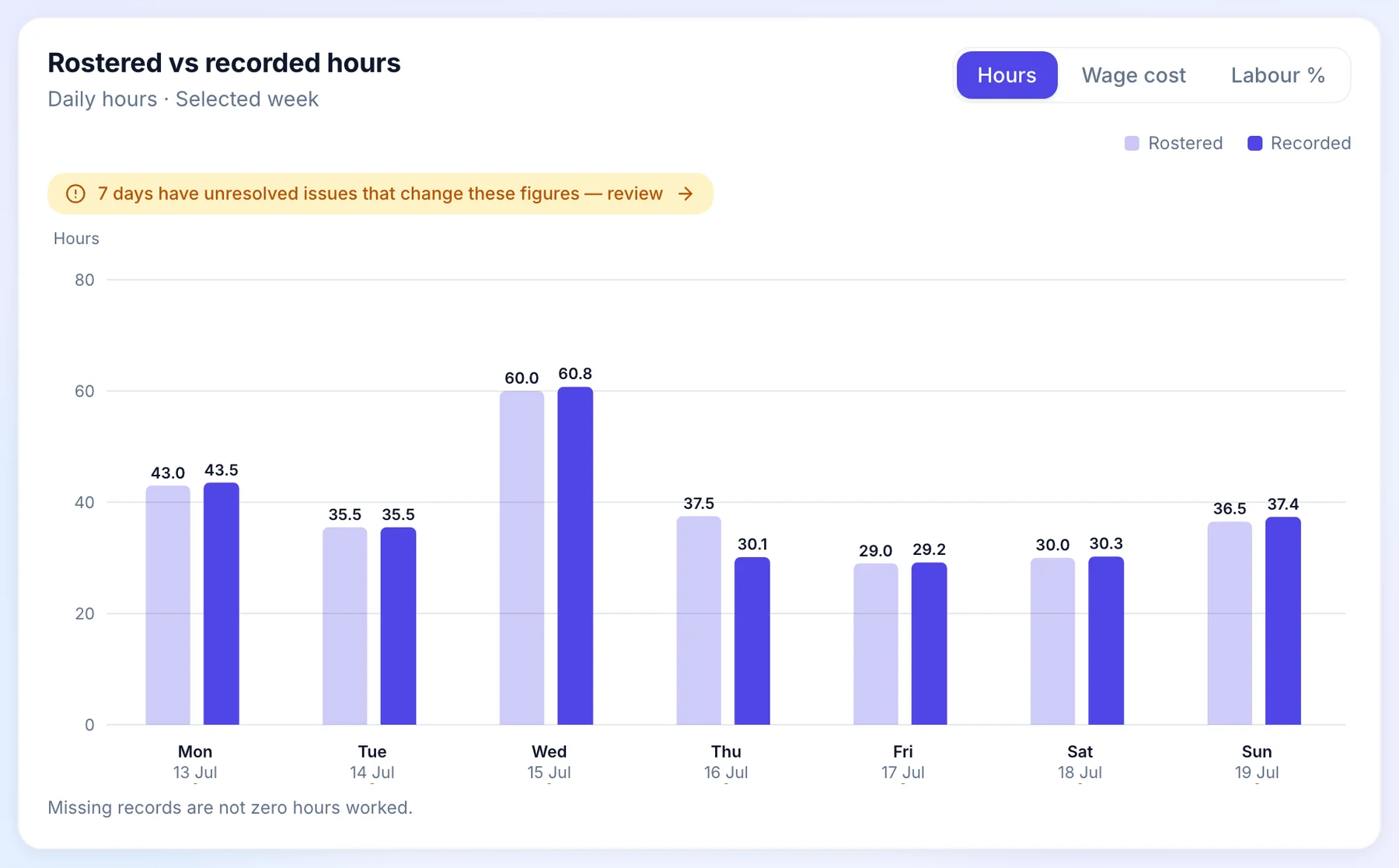
Labour compares the hours you rostered with the hours your teams clocked, for each day. Days with something unresolved are flagged, so you know which figures can still move.
- Rostered and recorded hours
- Hours or wage cost, day by day
- Compared with the week before
- Before you trust the number
Know what is missing.
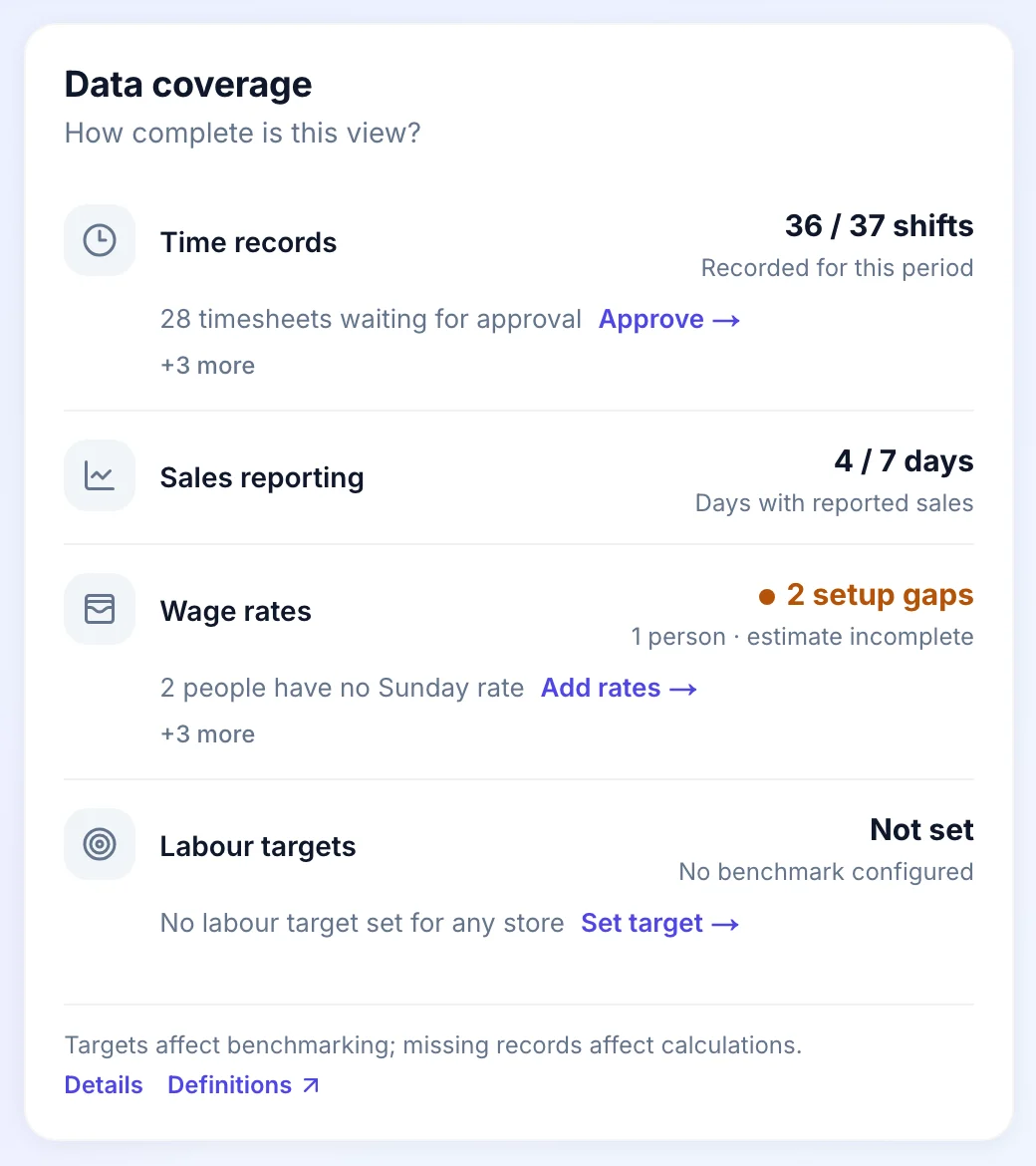
Data coverage shows how complete the week is: shifts recorded, timesheets waiting for approval, people missing a rate and venues without a labour target, each with a link to fix it.
- Shifts recorded for the period
- Timesheets still waiting
- Rates and targets still to set
- For franchised venues
Totals, never pay.
When a franchisee shares labour, which is on by default, you see their venue’s total hours and labour cost. Pay per person and personal details are never shared.
- Venue totals for the week
- Shared by default, the franchisee’s choice
- No rates, payslips or pay runs

Who does what.
Head office sees the network and sets the standard. The people running each venue keep running it.
Head office
- Compares rostered and recorded hours and labour cost by venue for the week chosen, against the week before.
- Sees a franchised venue’s labour totals when the franchisee shares labour, which is on by default. Never a person’s pay.
- Sees hours for everyone. Dollar figures show only to roles allowed to see wages.
- Sees how complete the week is: timesheets still waiting, missing rates and venues without a target.
The franchisee
- Sees their own venue’s labour as the week runs.
- Keeps their payroll. Head office sees venue totals, never a pay run, a payslip or a rate.
- Decides whether labour stays shared with the network.
Common questions.
Something else on your mind? Talk to us.
Does head office see what franchisee staff are paid?
No. When the franchisee shares labour, which is on by default, head office sees the venue’s total labour cost and hours. Pay rates, payslips and anything per person stay in the franchisee’s own payroll.
Who sees dollar figures?
Only roles allowed to see wages. Everyone else sees hours. The check runs on the server every time, not just on the screen.
Do we need sales connected?
No. Hours and labour cost come from the rosters and timesheets in Orbit. A venue can enter a sales forecast on its roster to see labour against it.
More head-office controls.
See it on a network like yours.
We’ll walk you through a week at head office on a demo network, set up the way yours runs.