
Every roster checked
before your team sees it.
Managers build the week with its cost in view and a list of checks beside it. You decide, venue by venue, whether they publish themselves or an owner approves first.
Covers the venues your business runs. In a franchised venue, it stays with the franchisee.
How it works for head office.
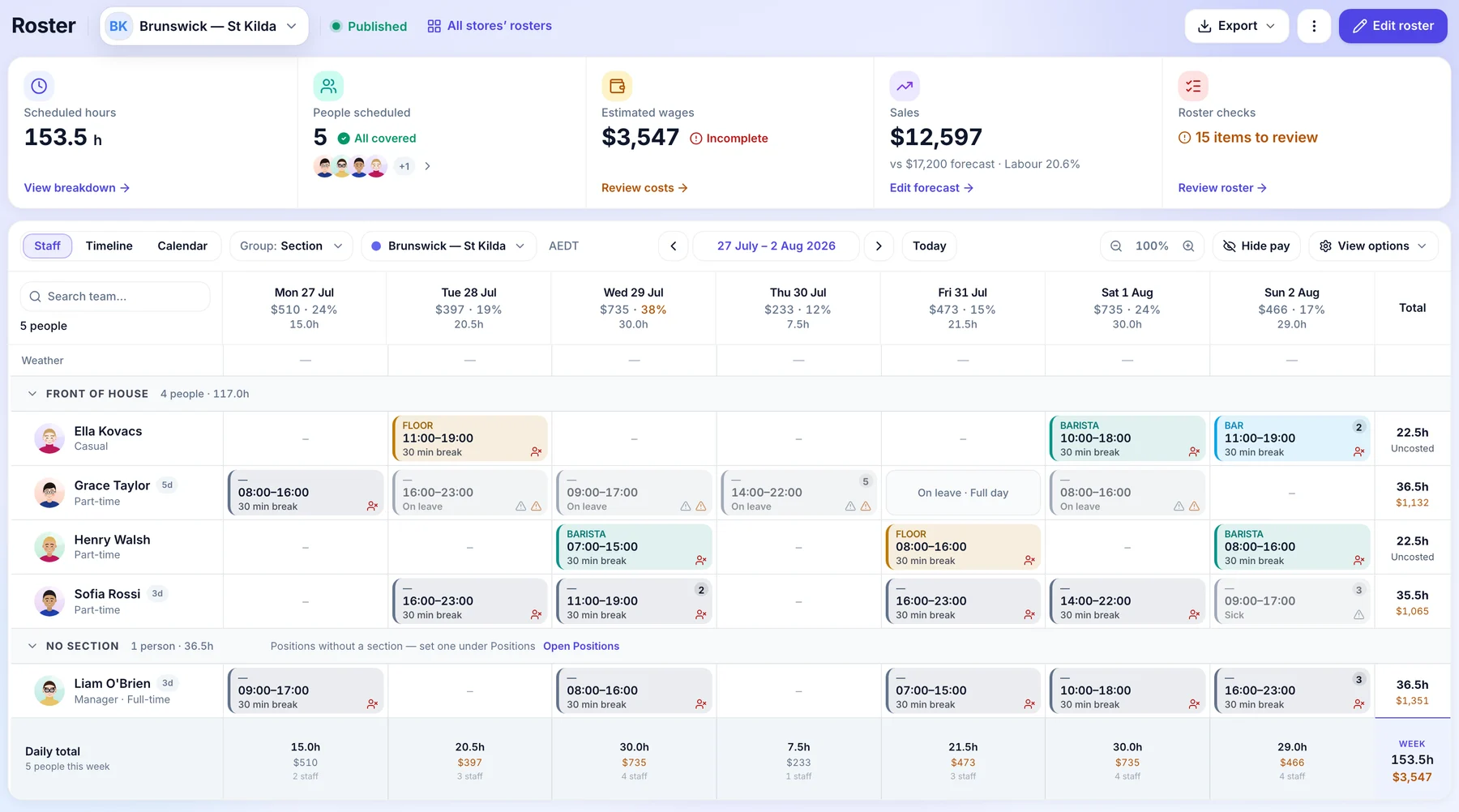
Next week’s roster at one of your venues, from the manager’s first draft to the moment the team sees it.
- Thursday afternoon
Your manager builds next week.
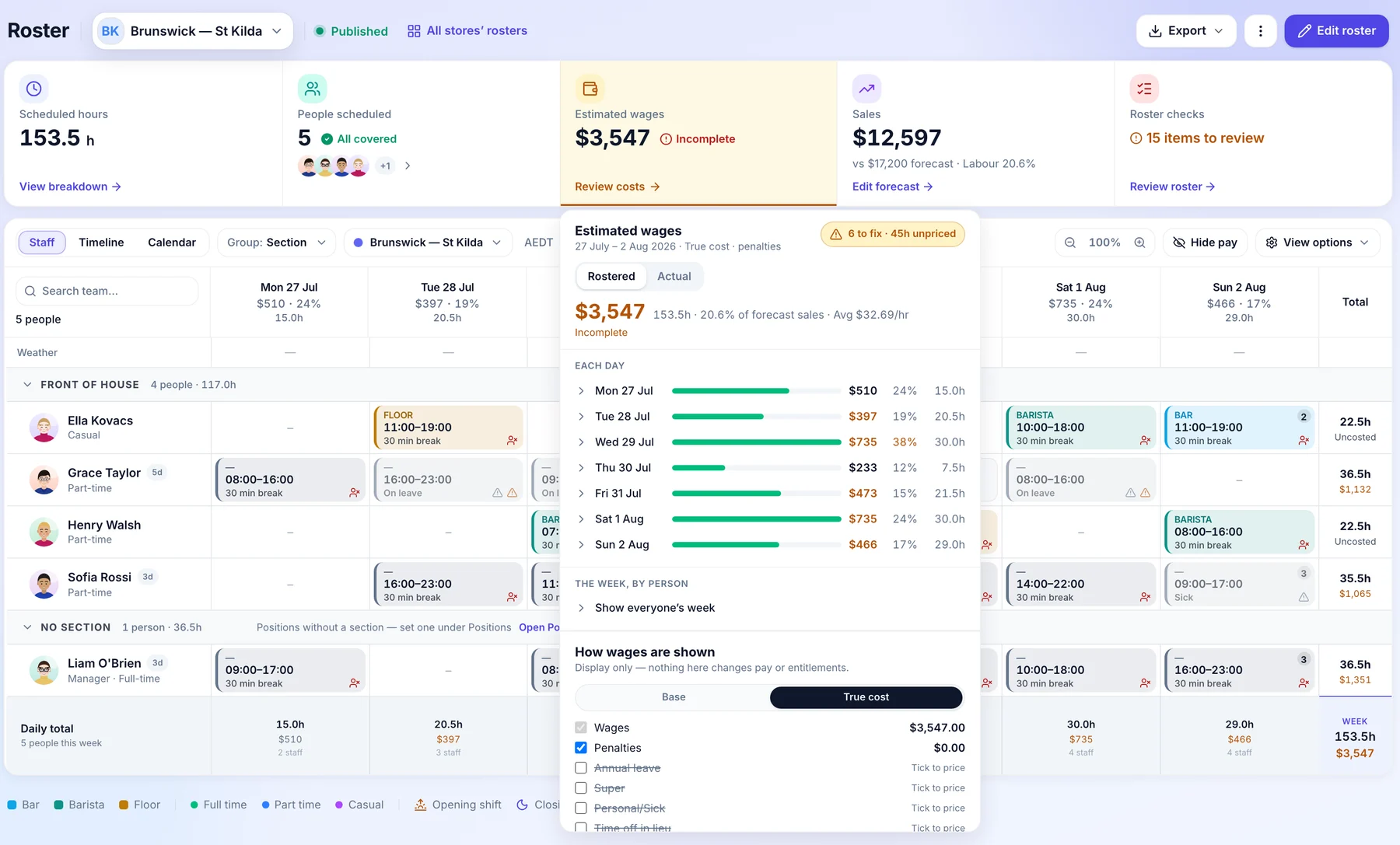
They start from the venue’s template and add the shifts. Estimated wages update as they go, day by day, with each day’s share of the sales forecast the venue entered.
- The cost of each day as they build
- Against the venue’s own sales forecast
- Wages only for roles allowed to see them
- Before it goes out
Orbit checks it first.
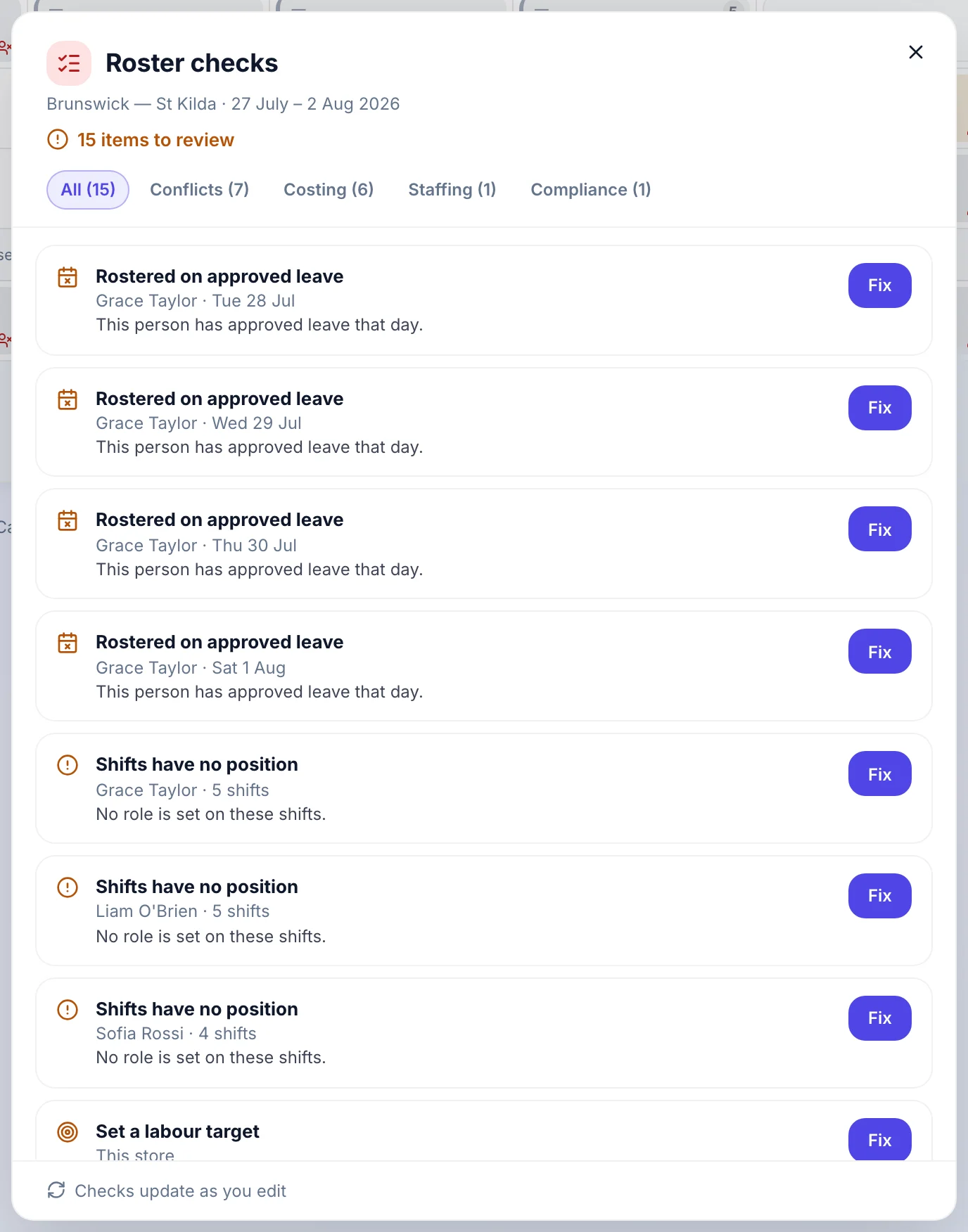
Roster checks list what needs a look before anyone is told: people rostered on approved leave, shifts with no position, a venue with no labour target. Each one has a Fix button.
- Leave clashes caught
- Costing and staffing gaps
- Checks update as they edit
- Publishing
Publish, or wait for an owner.
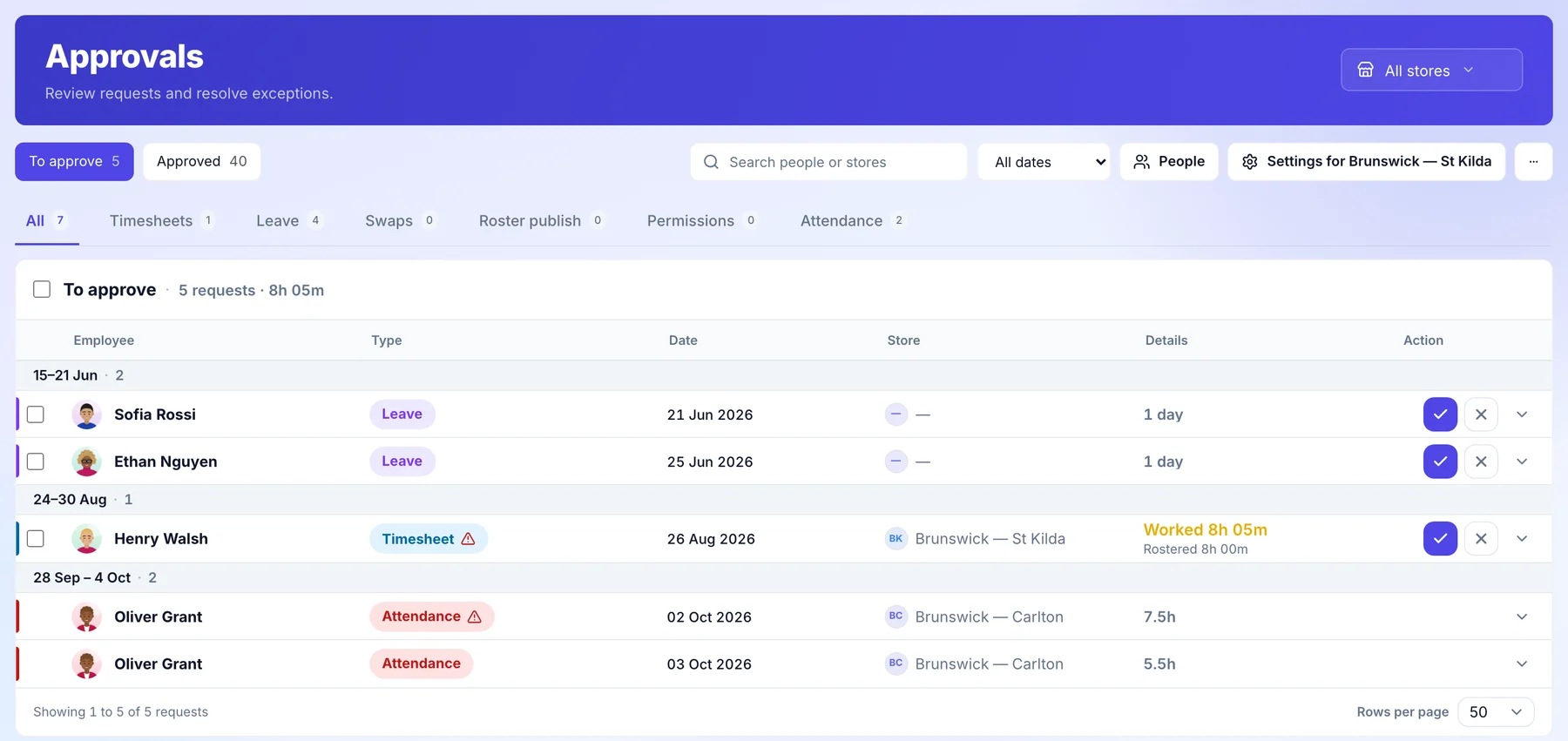
You decide per venue. Managers can publish their own roster, or it waits as a draft until an owner or admin approves it. Rosters waiting for approval sit in the approvals queue under Roster publish.
- Set per venue
- Approved by an owner or admin
- Nobody sees their shifts until it is published
- Friday
Every venue’s week, published.
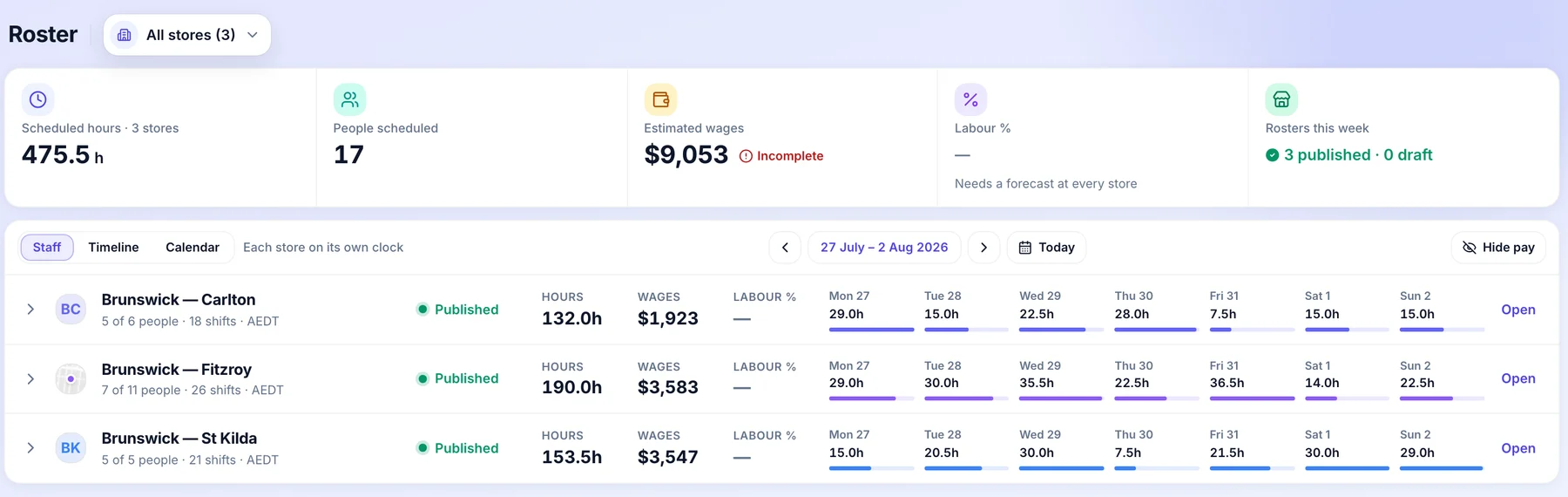
All stores’ rosters shows each venue’s week side by side: hours, wages and whether it is published or still a draft. Open any venue to see its whole roster.
- Published or draft, at a glance
- Hours and wages by venue
- Open any venue in one click
Who does what.
Head office sees the network and sets the standard. The people running each venue keep running it.
Head office
- Decides per venue whether the manager publishes or an owner approves first. A venue set to approval waits until an owner or admin says yes.
- Sets roster templates and positions once for the business, so every venue builds from the same start.
- Sees every venue’s week: hours, wages and whether it is published.
- Has every publish recorded, with who did it and when.
The venue manager, and in a franchised venue the franchisee
- Builds the week from a template, with the cost shown as they go for roles allowed to see wages.
- Works through the roster checks before publishing.
- Publishes when ready, and the team hears once.
- In a franchised venue, the publish rule and the approval belong to the franchisee.
Common questions.
Something else on your mind? Talk to us.
Can head office stop a venue publishing a roster?
For venues your business runs, yes. Set the venue so an owner approves first, and the manager’s roster waits until an owner or admin approves it. In a franchised venue that rule belongs to the franchisee.
Is the team told about every edit?
No. Changes to a published week wait as pending changes and go out together when the manager presses Publish changes, so the team hears once.
Can head office edit a franchisee’s roster?
No. Head office can open a franchised venue’s roster read only. The franchisee keeps the pen.
More head-office controls.
See it on a network like yours.
We’ll walk you through a week at head office on a demo network, set up the way yours runs.