
Every exception in one list,
oldest first.
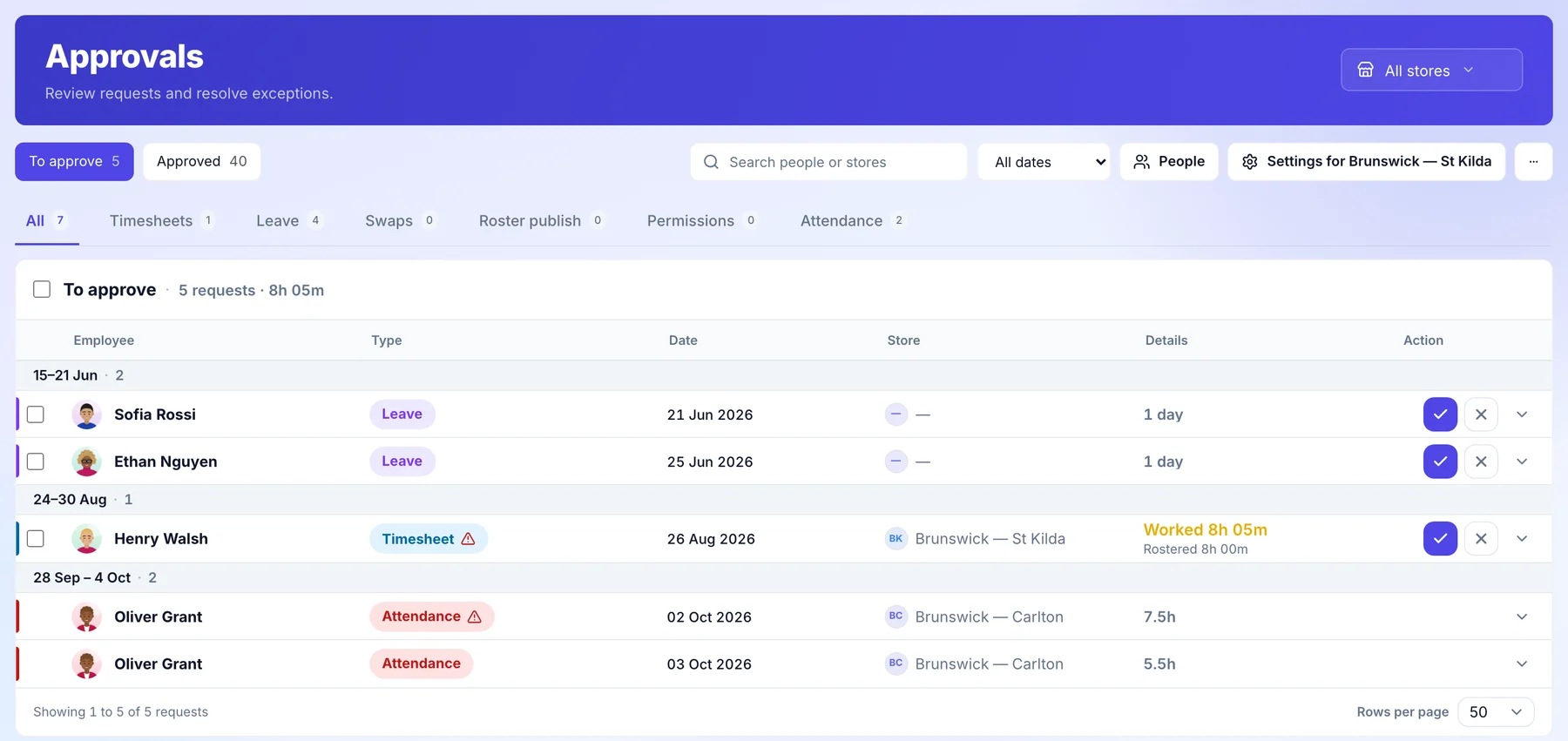
Missed clock ins, timesheets that differ from the roster, leave, swaps and rosters waiting to publish land in one queue across the venues you run. Decide each one with the roster beside it.
Covers the venues your business runs. In a franchised venue, it stays with the franchisee.
How it works for head office.
The week’s exceptions across the venues you run, from Monday’s list to the follow up.
- Monday morning
What needs you, on your home page.
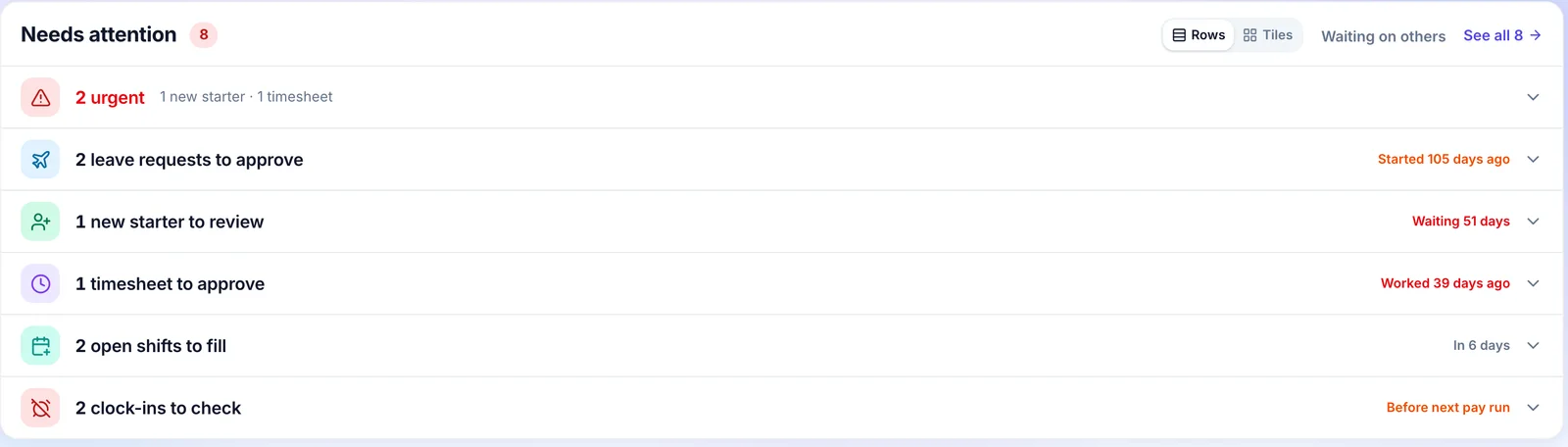
Home opens on what is waiting: leave requests, new starters, timesheets to approve, open shifts and clock ins to check, each with how long it has waited.
- Every item its own row
- How long each has waited
- One click to the decision
- For each one
Decide with the facts beside it.
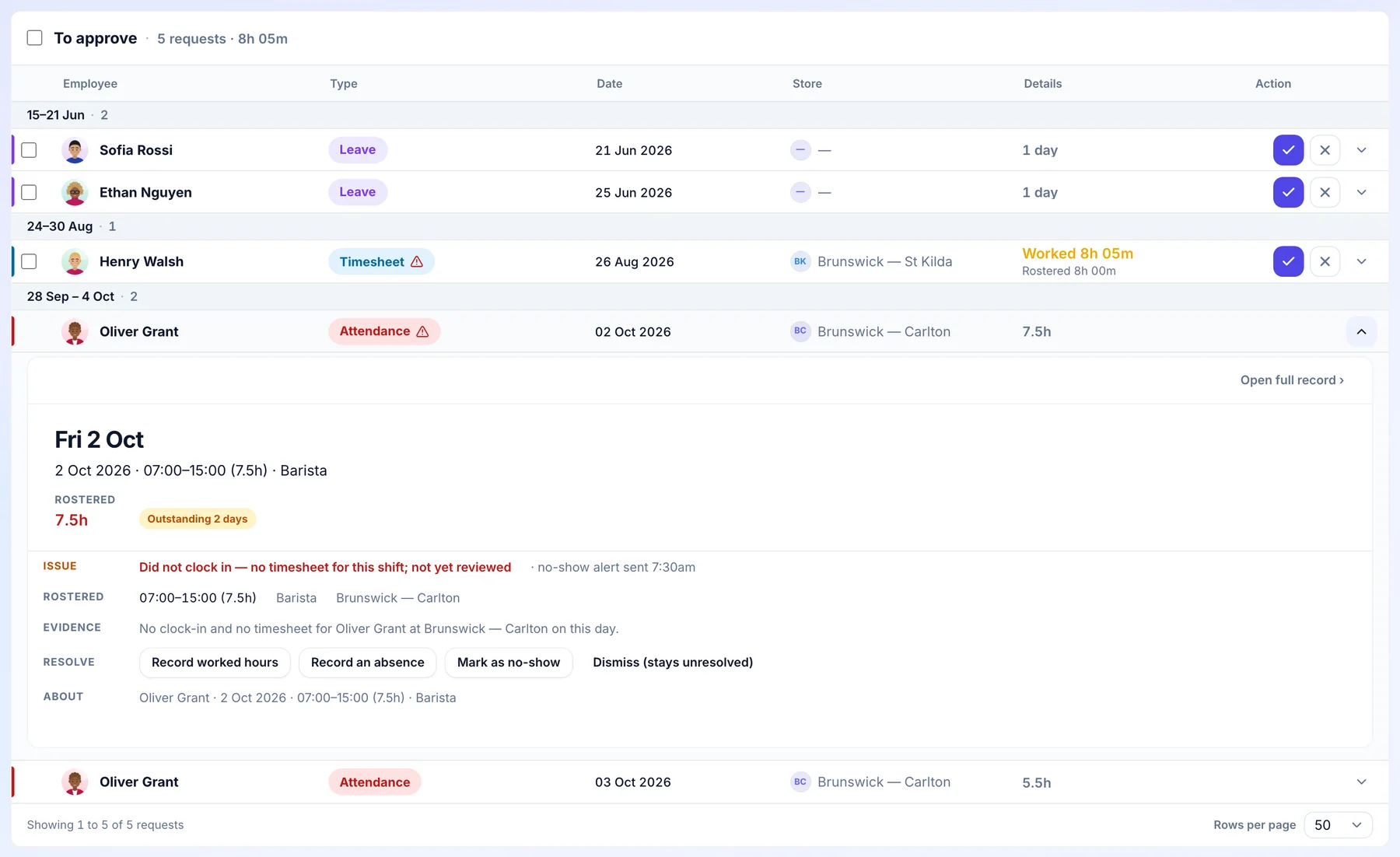
Open an item in the approvals queue and the rostered shift, what was recorded and the evidence are all there. For a missed shift, record the hours worked, record an absence, mark a no show or dismiss it.
- The rostered shift and the record
- The issue in plain words
- Every decision recorded
- Once, for each venue
Set the rules that decide what is late.
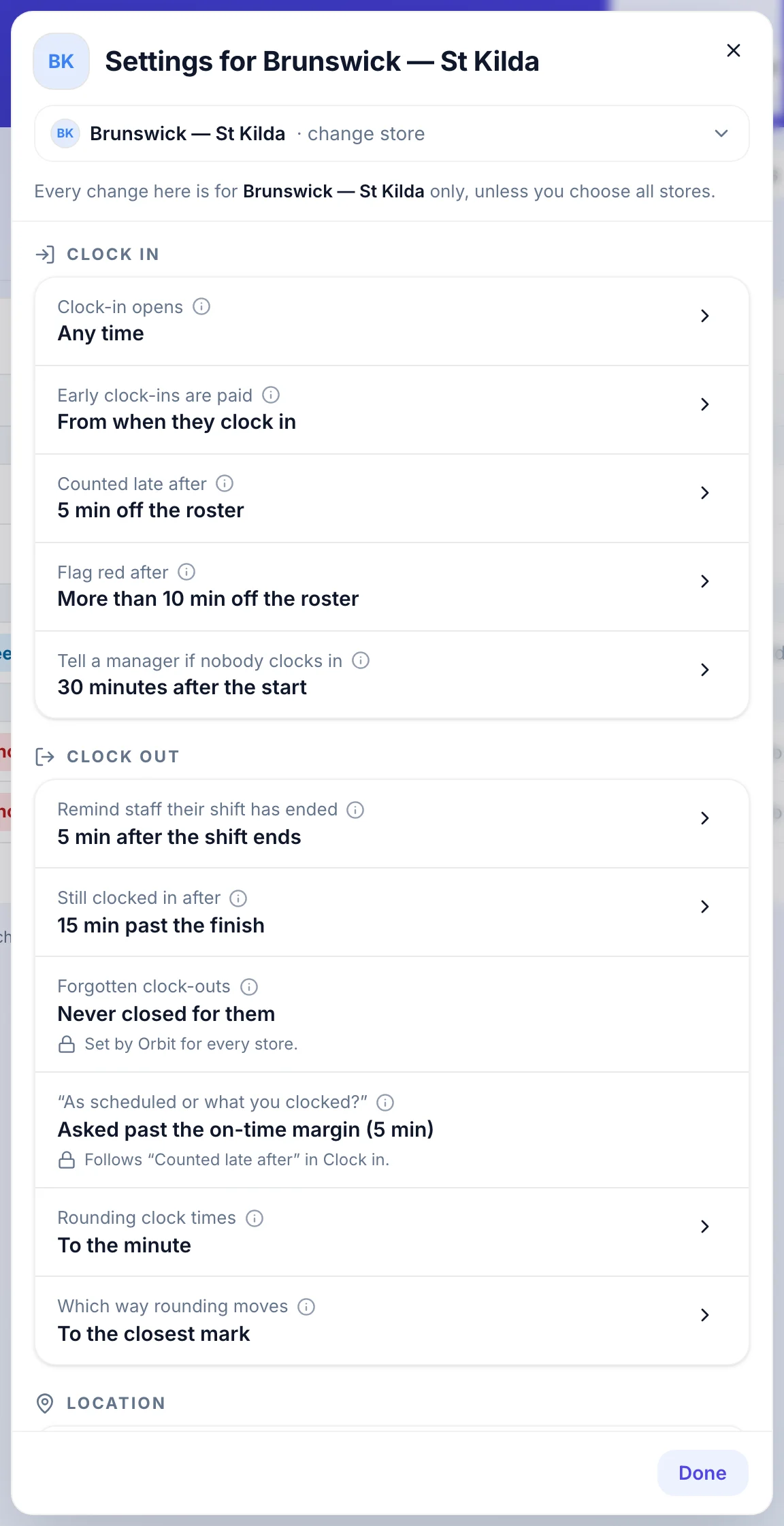
Each venue has its own clock rules: when clock in opens, when someone counts as late, when a manager is told nobody has clocked in, and how times are rounded.
- When clock in opens
- When late counts as late
- When a manager is told
- Across the network
See what is still open.
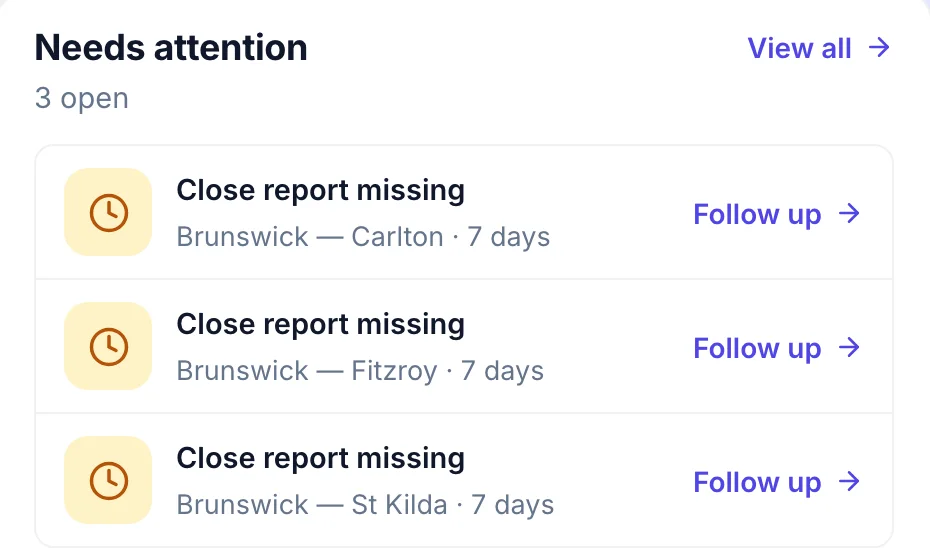
The franchise overview lists what is open venue by venue, like a close report that has not come in, with a Follow up link on each.
- Open items by venue
- How long each has been open
- Follow up in one click
Who does what.
Head office sees the network and sets the standard. The people running each venue keep running it.
Head office
- Sees what is waiting across the venues it runs, and how long it has waited.
- Decides roster publishes from venues set to need approval.
- Sets each venue’s clock rules: when clock in opens, when someone counts as late and when a manager is told.
- Reads every decision with who made it and when.
The venue manager
- Decides timesheets, leave, swaps and attendance from one queue, with the roster beside each item.
- Approved timesheets go to payroll as approved.
- In a franchised venue the queue is the franchisee’s own. Head office does not see it or approve it.
Common questions.
Something else on your mind? Talk to us.
What counts as an exception?
A timesheet that differs from the rostered shift, a shift with no clock in or no clock out, a leave request, a shift swap, a roster waiting for publish approval and a permission request.
Does payroll check approved timesheets again?
No. An approved timesheet is what goes to payroll, through Xero, Employment Hero or your other accounting connections, and the decision stays with the timesheet.
Does head office approve a franchisee’s timesheets?
No. In a franchised venue the approvals queue is the franchisee’s own. Head office sees timesheet totals, read only.
More head-office controls.
See it on a network like yours.
We’ll walk you through a week at head office on a demo network, set up the way yours runs.