
Solutions / Franchise networks
Finally see and control every venue in your network.
Company-run and franchised venues side by side. Head office sets the standard and follows up, and every franchisee still runs their own business.
Sound familiar?
You find out last
A venue is struggling and the first sign is the monthly report.
Standards depend on who’s on
And there’s no record of what was actually checked.
Every franchisee runs something different
So no two reports look the same, and none of them line up.
Orbit puts the whole network on one screen, on one system, without taking the business away from your franchisees.
How Orbit fits a franchise network.
Invite each franchisee. They accept in their own Orbit.
Business identity, contact and authority are checked before you approve. They choose what’s shared, and can only narrow your invitation.
- Invite by email
- Checked before you approve
- Sharing agreed once, visible to both sides
Head office sees
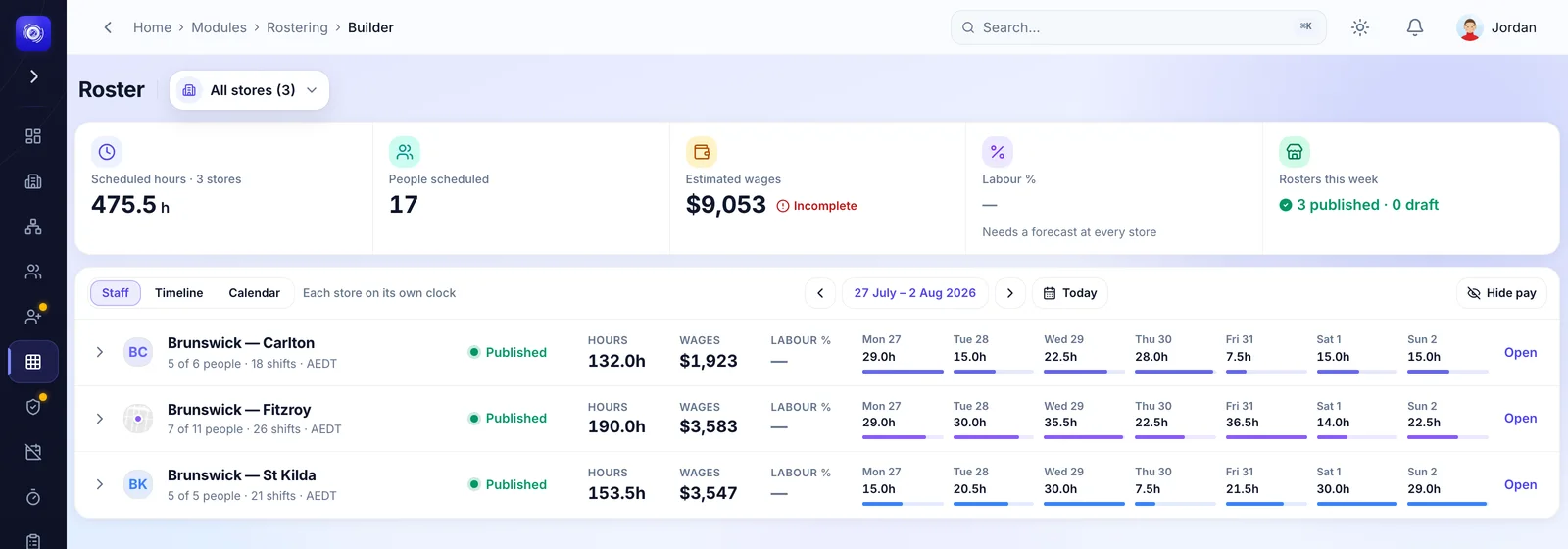
- Every venue’s roster, read-only
- Labour and attendance for the period
- Brand standards and actions
Stays with the franchisee
- Pay rates and payslips
- Staff records
- Approving their timesheets
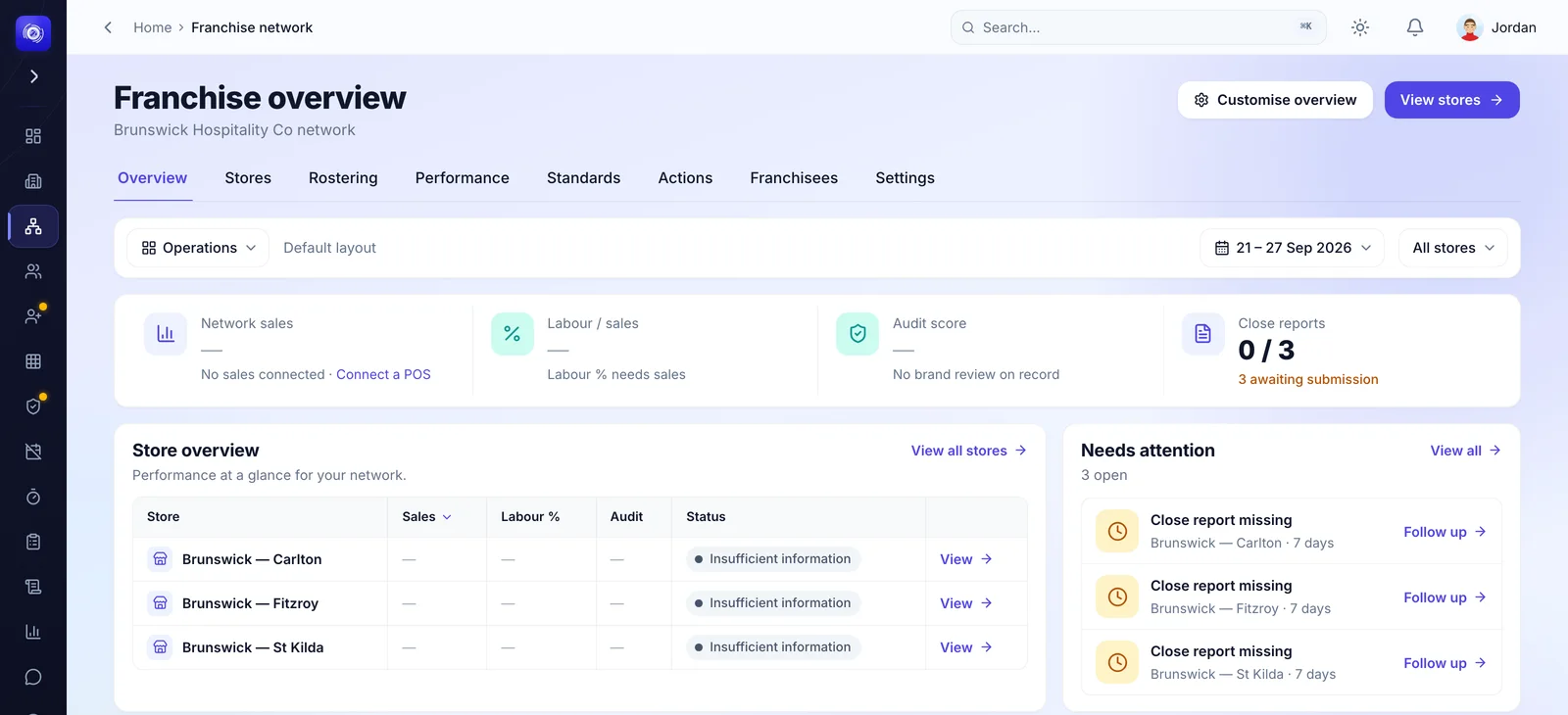
Every venue on one screen.
Company-run and franchised venues side by side, with the stores that need you at the top.
- Company and franchised venues together
- Rosters and timesheet totals, read-only
- What needs attention, store by store
Publish the standard. Follow it up.
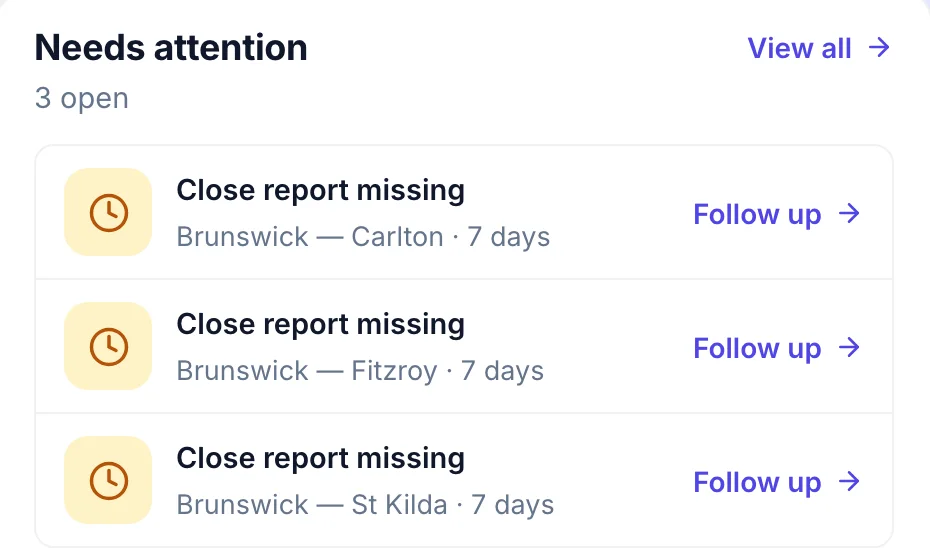
Publish brand standards to every connected franchisee. A critical failure raises an action that head office verifies.
- Standards published to the whole network
- Missed reports flagged, with a follow-up
- Message the franchisee responsible
Head office sees the network. Franchisees run their own.
Head office works across the network from the browser. Every franchisee runs their own stores, managers and team in their own Orbit.
Pay rates and payslips never leave the franchisee’s business.
Who does what.
Head office and each franchisee are separate businesses, joined by one agreed connection.
Head office
- Sees the reports the franchisee shares, and their rosters, read-only.
- Publishes brand standards and follows up on critical actions.
- Messages the franchisee through Orbit.
- Never edits a franchisee’s roster or approves their timesheets.
The franchisee
- Runs their venues: rosters, timesheets, approvals and daily reports.
- Employs their team and runs payroll under their own entity.
- Keeps staff records, pay rates and payslips in their business.
- Chooses what the network sees, and can end the connection from their side.
The connection is agreed once in Orbit and both sides can see it. Suspending or ending it takes effect straight away.
“We’ve never had better control over our network.”
 Managing Director
The whole platform comes with it.
Head office and every franchisee on the same tools, each in their own business.
See Orbit on a network like yours.
Orbit for franchise networks is its own package.