
Orbit Time & AttendanceCore platform
Every shift, on the record.
Your team clocks in and out on the Orbit Staff app at the store. Breaks are timed, forgotten clock-outs close themselves, and timesheets are ready to approve beside the roster.
14 days free. No credit card.
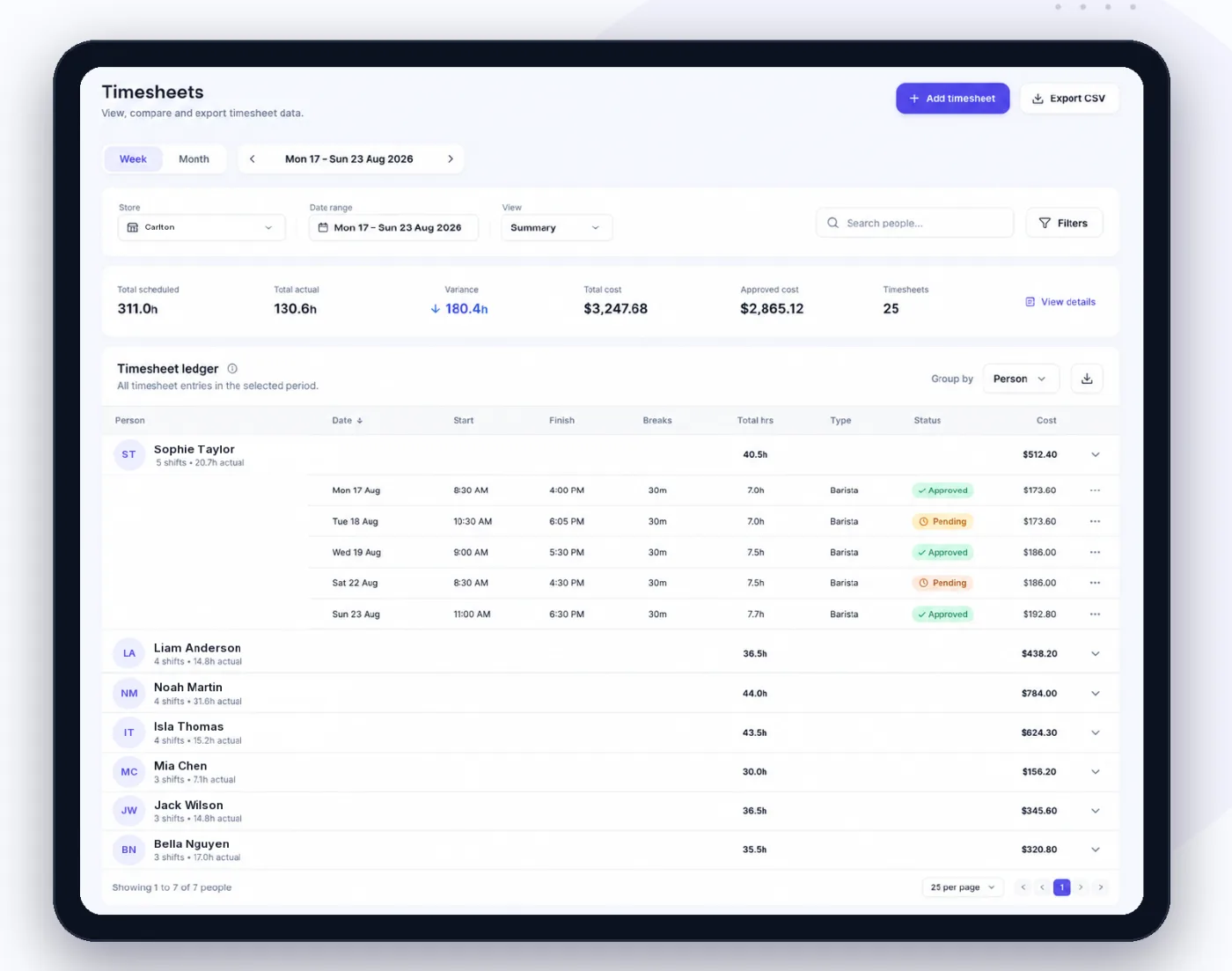
From the first clock-in to approved hours.
Accurate hours without chasing anyone.
- Clock in at the storeClock-in works inside the store’s radius. A stale or faked location is refused.
- Your pin, your radiusSet each store’s clock-in spot and radius on a map.
- Opens before the shiftThe clock opens 30 minutes before a rostered shift starts.
- Timed breaksBreaks run on a timer, shown on the iPhone lock screen.
- Forgotten clock-outsA shift left open closes itself and is flagged for you to review.
- Late and no-show alertsManagers are told when someone is late or hasn’t arrived.
- Approve in one goApprove timesheets one at a time, or everything that ran to time at once.
- The week’s issuesUnapproved hours, missing clock-outs and unmatched shifts in one list, fixed in place.
- Timesheet reportsTeam and per-person timesheet PDFs for any period.
How it works.
- 01
Clock in
On the phone, at the store.
- Location checked at the store
- Breaks timed as they happen
- Clock out outside the area with a reason
- 02
Review the week
Worked hours beside rostered hours.
- Late starts and early finishes stand out
- Managers add or correct a timesheet
- Each timesheet priced under the award
- 03
Approve
Approved hours are ready for payroll.
- Approve all on time in one press
- Send approved hours to your payroll software
- Staff see their hours in the app
The Orbit Staff app.
Everything your team needs for the shift, on their phone: the next shift, the time clock and who’s on.
- The next shift and this week’s hours
- Clock in, breaks and clock out
- Their own timesheets and estimated earnings
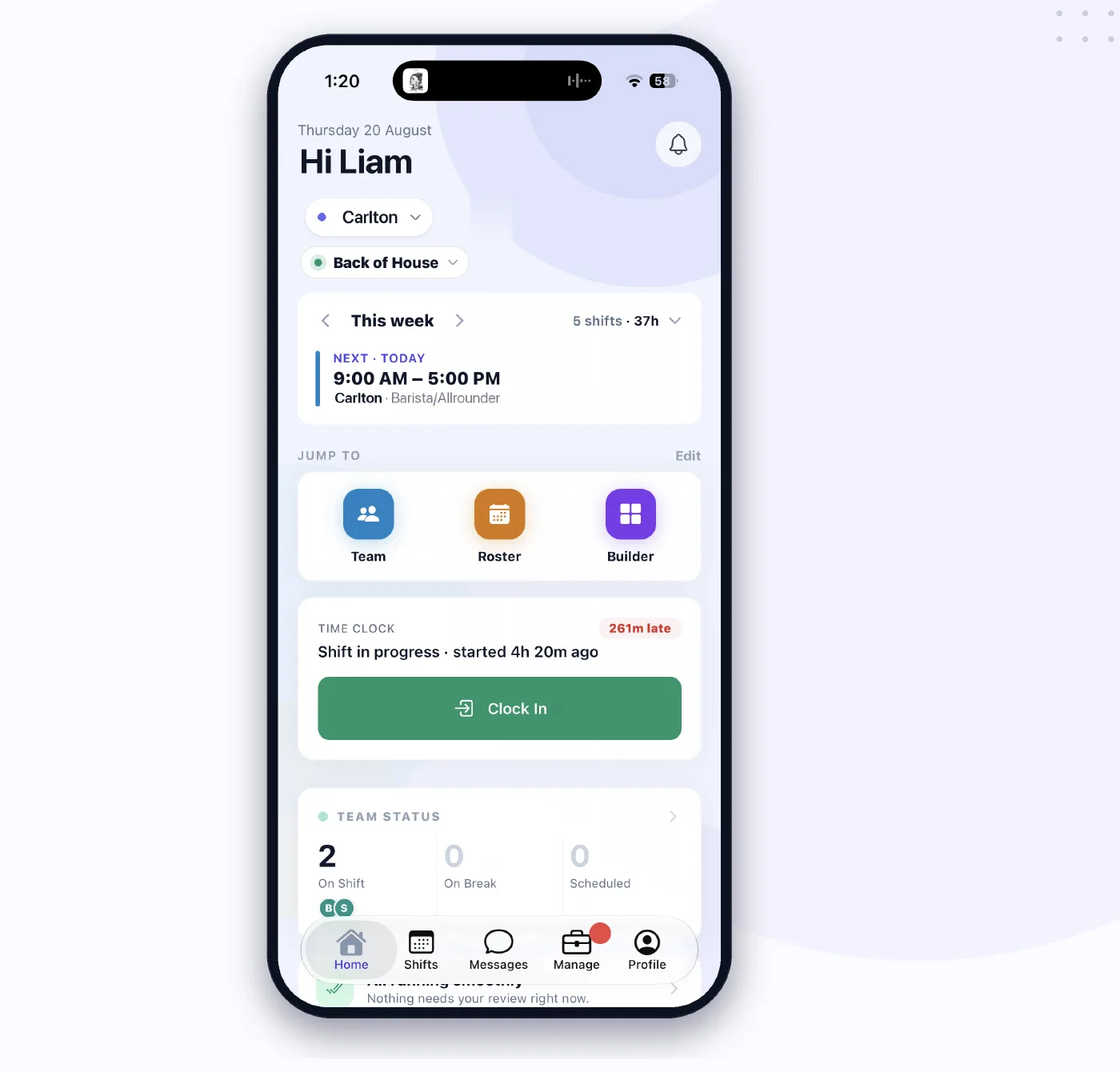
Hours your team records. Approved by the right person.
Team members clock in on their phone. Managers review and approve their store’s timesheets. The owner sees every store and sends approved hours to payroll.
An owner or admin can clock in from anywhere; everyone else clocks in at the store.
Works with the rest of Orbit.
One team, one roster and one set of numbers, shared by every product.
Questions.
What if someone forgets to clock out?
Orbit closes the shift on its own, at the rostered end or a sensible limit, and flags it so a manager can check the hours before approving.
Can staff clock in from home?
No. Clock-in works inside the store’s radius, and the server refuses a location that is stale or faked. Owners and admins can clock in anywhere.
What if they have to clock out away from the store?
They can ask for an exception with a reason, and a manager reviews it.
Is there a shared kiosk or tablet mode?
Not today. Each person clocks in on their own phone with the Orbit Staff app.
Get hours you can trust.
Your team clocks in on their phone from day one.
14 days free. No credit card. · All products · See pricing