
Products / Timesheets & approvals
Everything waiting on you.
In one list.
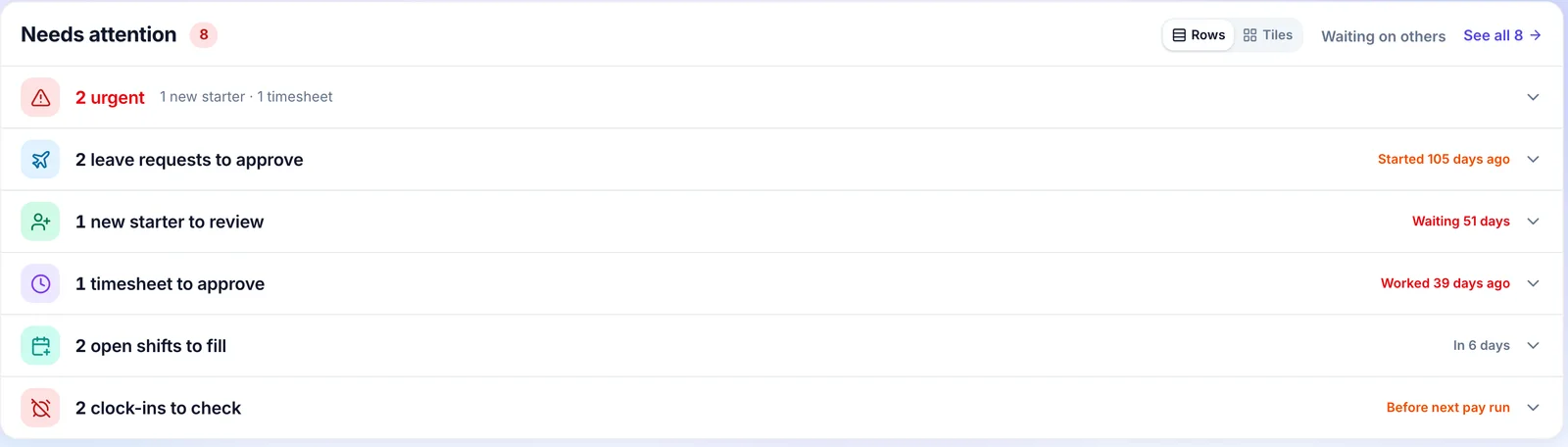
Timesheets, leave requests, availability and new starters land in one list, oldest first. Check the exceptions, approve the rest in one go, and the hours are ready for payroll.
How approvals work at your venue
A normal week, from Monday’s first coffee to the hours going to payroll.
- Monday morning
Everything waiting on you, in one place
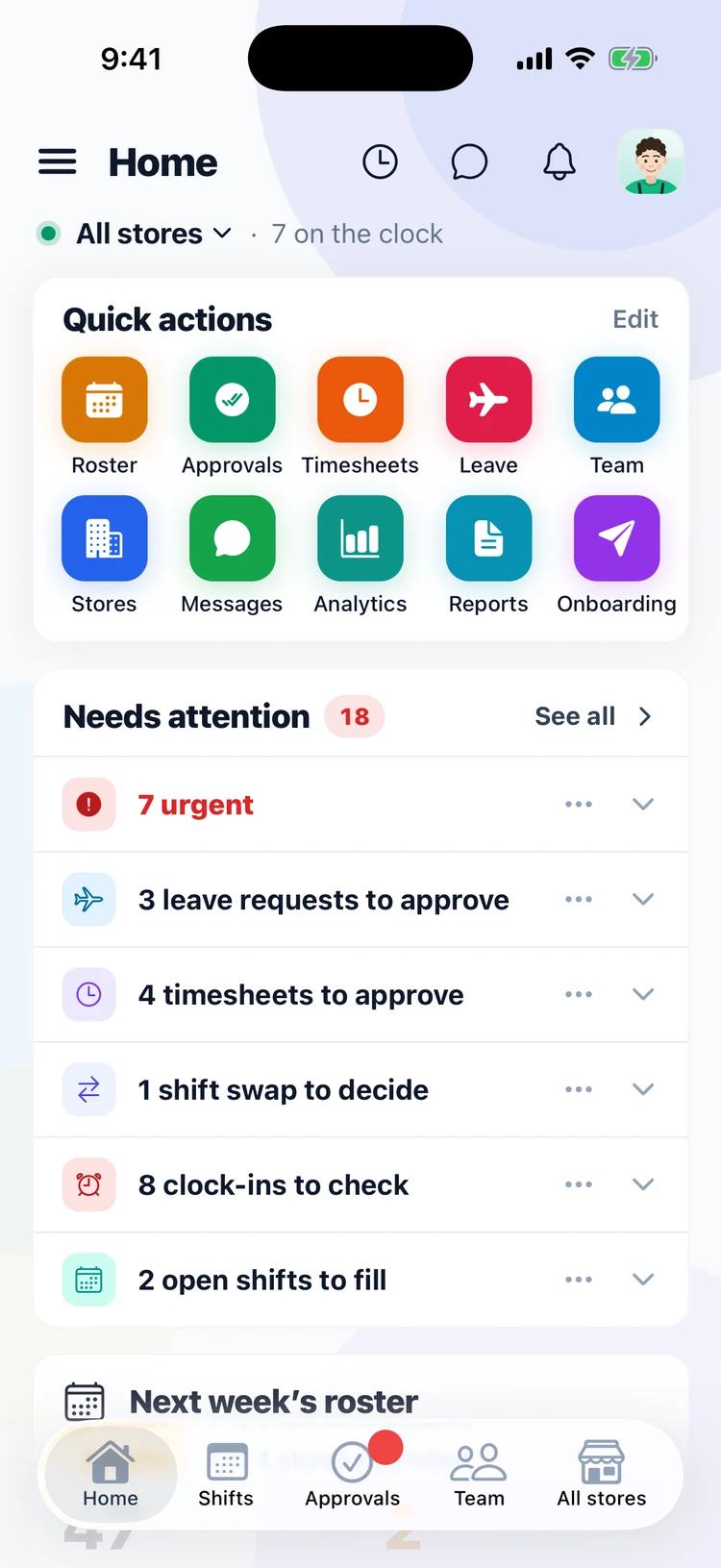
Open the Orbit Operations app and Home already lists what needs you: leave to approve, timesheets to sign off, a swap to decide, clock-ins to check and open shifts to fill. The same list is on Home when you sign in on the web.
- Everything that needs you, in one list
- Every venue, or just one
- On your phone or on the web
- Once the coffee’s on
Open the approvals list
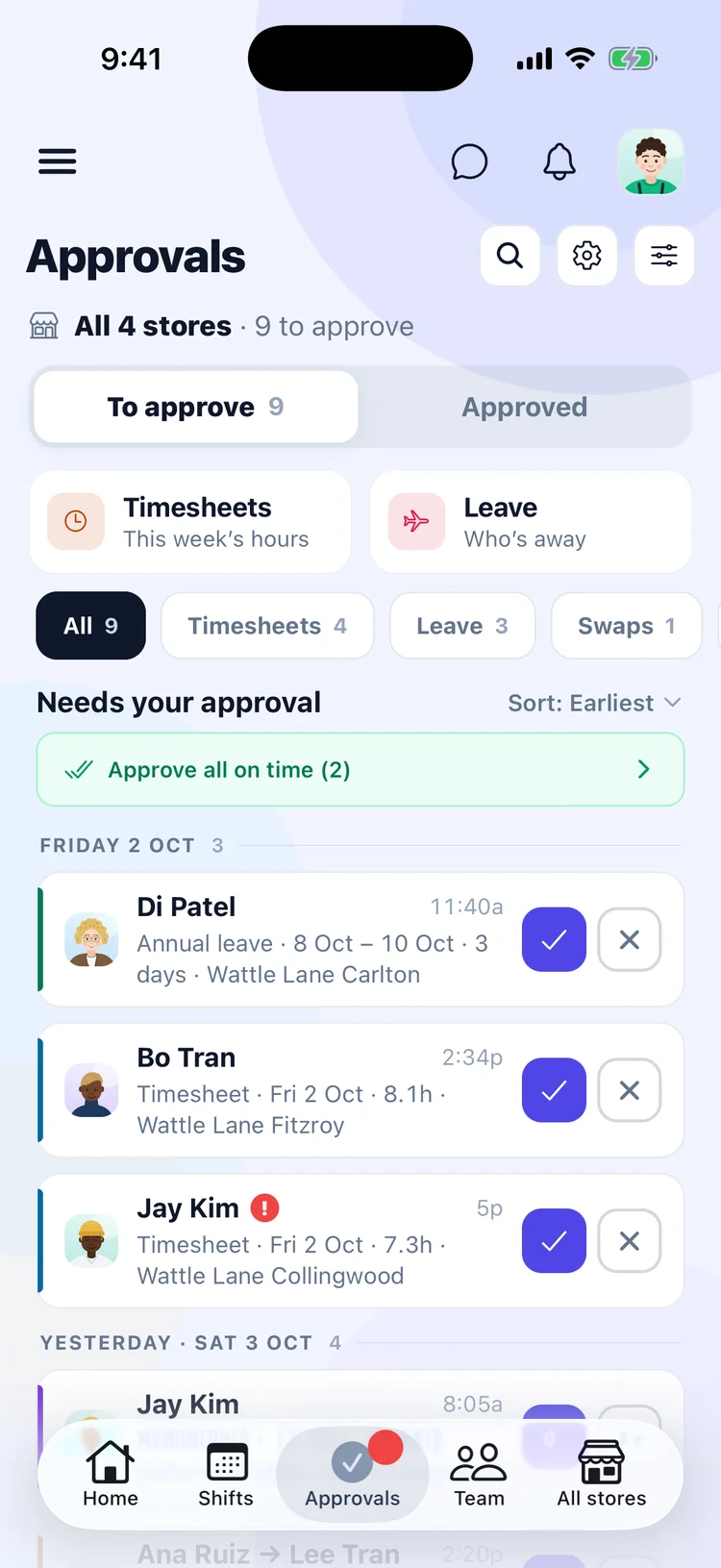
Every request from every venue is in one list, grouped by week with the oldest first. Leave, timesheets, swaps and missed clock-ins each have their own tab when you want to work through one kind.
- One list for every venue
- Oldest week at the top
- A tab for each kind of request
- When a shift ran over
Check only what didn’t go to plan
A shift that ran to the roster needs no work. When one didn’t, open it to see the rostered times beside the real clock-in and clock-out, with anything unusual, like a missed break, called out.
- Rostered beside worked, for every shift
- Missed breaks and late finishes called out
- Fix the times before you approve
- When someone asks for a day off
Leave, with the cover already checked
Open a leave request and Orbit shows the hours it takes from the roster and whether the day is still covered. Approve it or decline it right there.
- Leave hours worked out from the roster
- See if the day is still covered
- Approve or decline in one tap
- Away from the venue
Approve from your phone
The Orbit Operations app has the same list, every venue and earliest first. Shifts that ran to plan can be approved together with one tap, and anything else you approve or decline one at a time.
- The same list on your phone
- Every venue, earliest first
- Approve everything on time in one tap
- Before payday
Approve the rest in one go
Tick everything that’s right and approve it together. Approved hours are what get sent to Xero or Employment Hero, so your pay run starts from what you signed off.
- Approve a whole batch at once
- Only approved hours go to payroll
- Sent to Xero or Employment Hero
What it does.
Timesheets, leave, availability, swaps and new starters, from every store you run.
What has waited longest sits at the top, with how long it has been waiting.
Each timesheet shows the shift it was rostered against, so a late start stands out.
Everything that ran to the roster approves in one press. You only open the rest.
Correct a time or add a missing clock-out, and the change is recorded.
Approved hours are what get sent to Xero or Employment Hero.
The right person signs off.
Managers approve their own store’s timesheets and requests. The owner sees every store and what is still waiting.
Who can approve is set in Roles & permissions, by role, store or person.
Questions people ask.
- Do I have to approve every shift one by one?
- No. Everything that ran to the roster approves together in one press. You only open the shifts that didn’t go to plan.
- Can my managers approve?
- Yes, for the stores they run. You decide who can approve in Roles & permissions.
- What gets sent to payroll?
- Only approved hours and approved leave. Anything still waiting stays in Orbit until someone signs it off.
Timesheets & approvals comes with Orbit’s core platform: $7.50 per person a month, everything included. Add or remove people any time.
See pricingClear the week in minutes.
See everything waiting on you, in one list.