
Orbit RosteringCore platform
Build the week. See what it costs.
Plan every store’s week on the web or on your phone. Orbit prices each shift under the award as you build, checks the roster before you publish, and puts it on your team’s phones.
14 days free. No credit card.
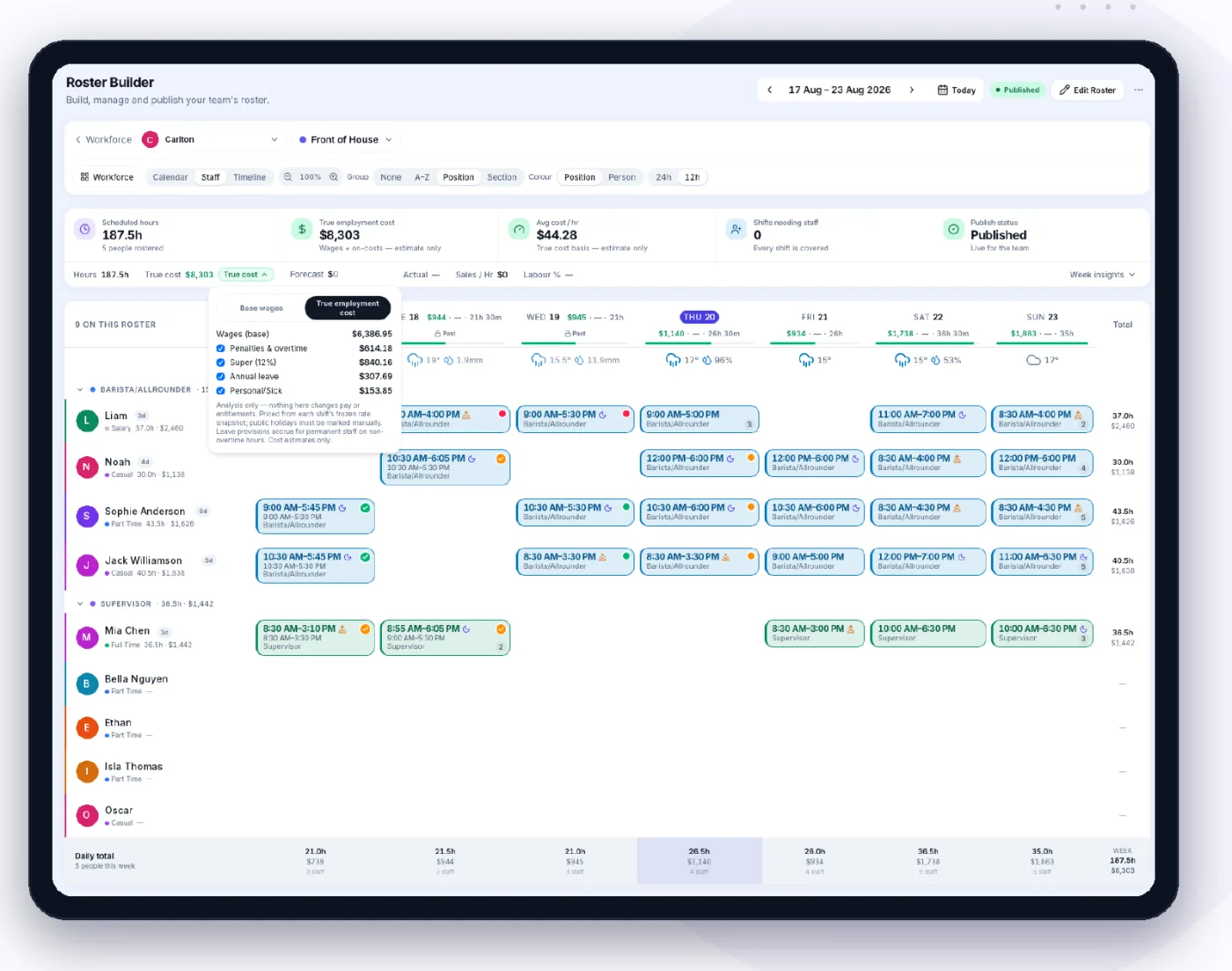
Everything a roster needs.
From a blank week to a published roster, with the cost and the checks beside you.
- Drag-and-drop weekBuild each store’s week on a grid, on the web or in the Operations app.
- Copy last weekStart from last week, choosing which sections come across, or copy a shift onto other days.
- TemplatesSave a week as a template and apply it to any store. Unfilled slots become open shifts.
- The cost as you buildEstimated wages, forecast sales and labour %, with a per-day spend and each shift’s cost explained.
- Roster checksOverlaps, rest and meal breaks, days in a row, max hours, visa hours, RSA and under-18 limits.
- Availability and leaveSee who’s available and who’s on leave on the grid, with a warning if you roster against it.
- Open shifts and swapsPost open shifts with suitable staff listed first. Staff offer swaps; you approve them.
- Weather on the rosterThe forecast for each day under the roster, hour by hour.
- Publish with careOnly the people rostered are notified. Later changes are staged and released together.
How it works.
- 01
Start the week
From last week, a template or a blank grid.
- Choose the store and the week
- Copy last week or apply a template
- Positions keep their colours
- 02
Shape it to the budget
Move shifts and watch the cost move.
- Wages priced under the award
- Labour % against your forecast sales
- Checks flag anything that breaks a rule
- 03
Publish
Your team has it on their phone.
- Only the people rostered are notified
- Swaps come back to you to approve
- Export a PDF or CSV for the wall
On your phone too.
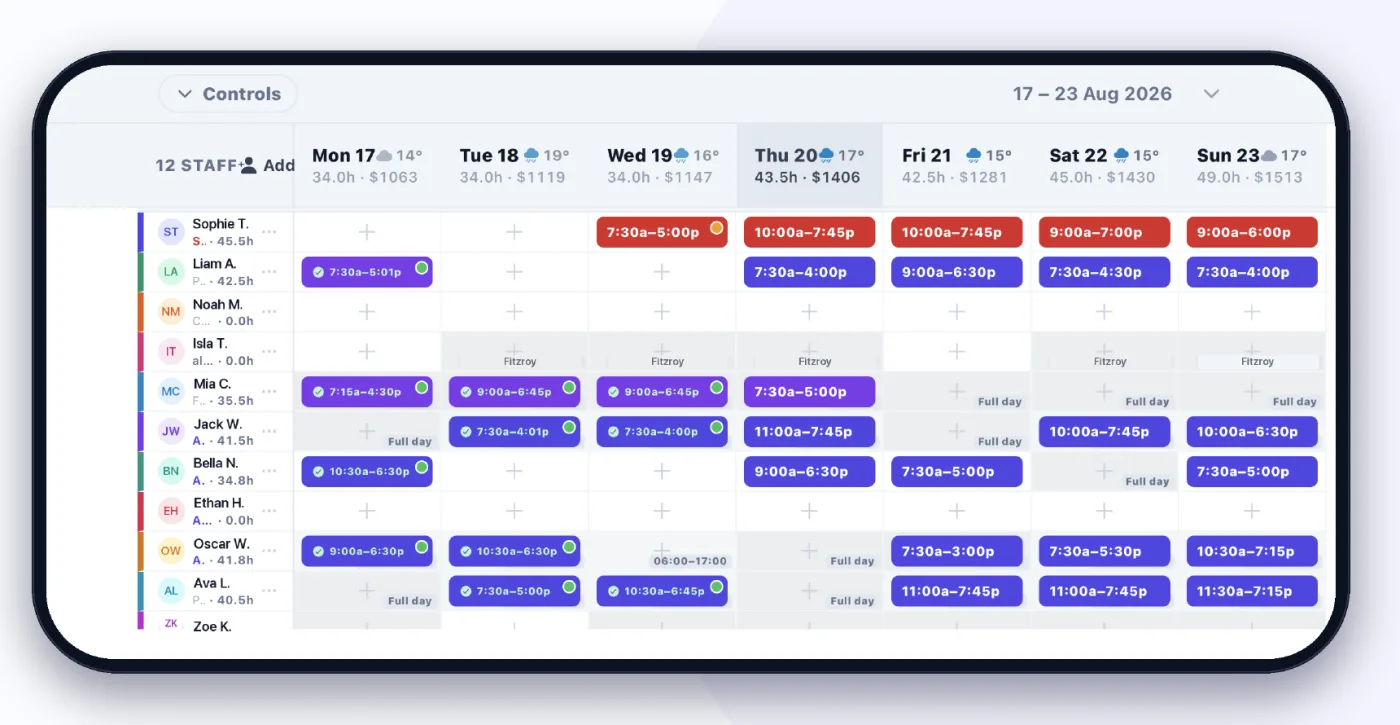
Managers build and adjust the roster in the Operations app. Staff see their shifts, offer swaps and set their availability in the Staff app.
- The whole week by person, with the weather above each day
- Staff submit availability before your deadline
- Swaps and open shifts come back to you to approve
You set the rules. Managers build the week.
The owner decides the rates, the checks and who can publish. Managers build their store’s roster. The team sees their shifts on their phone.
Who can see wages on the roster is set by role.
Works with the rest of Orbit.
One team, one roster and one set of numbers, shared by every product.
Questions.
Can managers see wages while they build?
Only if their role allows it. The owner decides who sees wages on the roster; everyone else builds without the figures.
Does Orbit work out penalty rates?
Yes. Each shift is priced under the person’s award, with casual loading, weekend, evening and public holiday rates. Figures are estimates until the hours are approved.
Can staff pick up extra shifts?
You post open shifts and fill them, with the staff who can work that position listed first. Staff can offer their own shifts to a colleague as a swap, which you approve.
Where do the sales figures come from?
You enter a sales forecast for each day or week, and labour % is worked out against it as you build.
Build next week in Orbit.
Start from last week and see the cost before anyone is rostered.
14 days free. No credit card. · All products · See pricing